You may ask yourself why I have been mentioning migraine tracking apps since the first blog post. The reason is that as already explained the triggers for migraine attacks are individual and differ in most patients. And since m
Common Triggers
Although triggers are different for everyone who lives with migraine, common triggers include:
- Environmental: weather changes, heat, smoking, strong smells, loud sounds, and bright or flashing lights
- Hormonal: fluctuations in hormones, which can occur around menstruation, pregnancy, or menopause
- Lifestyle: stress or the letdown of stress, too much or too little sleep, poor sleep quality, changes in sleep schedule, neck pain, overexertion, sexual activity
- Dietary: skipped meals, dehydration, alcohol, and certain foods
For a state of the art research I will analyze and compare two different migraine apps. In this blog post the first Apps will be analyzed and the second one in the next two to provide a clear overview and comparison.
Migräne App by the pain clinic Kiel
This app was recommended to me by my neurologist since it provides lots of features. It was developed by the pain clinic Kiel which focus on diagnosis, treatment, and research of neurological pain disorders, migraine, and other headaches in order to further improve future treatment. The first feature is the calendar to track migraine attacks and consulation hours with neurologists.

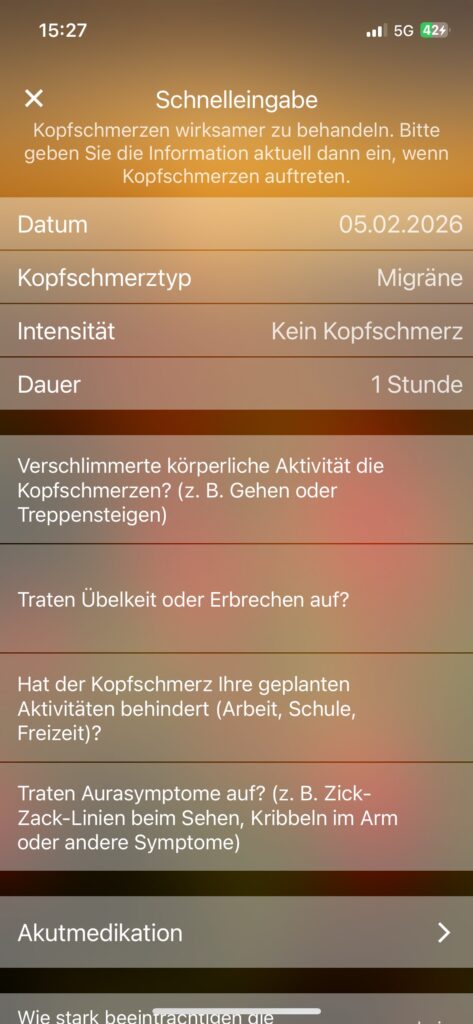
To quickly create an entry of an attack there is a button to open a new screen where the intensity, the type and date, medication data etc. can be filled out.
Simulation feature
One feature that caught my attention when I first used it is the simulation feauture the app provides. There are three different ones. The first one uses the phone’s camera to simulate a gradually increasing aura with flashing zig zag figures and pink blind spots that stays at the same spot even when the camera moves.
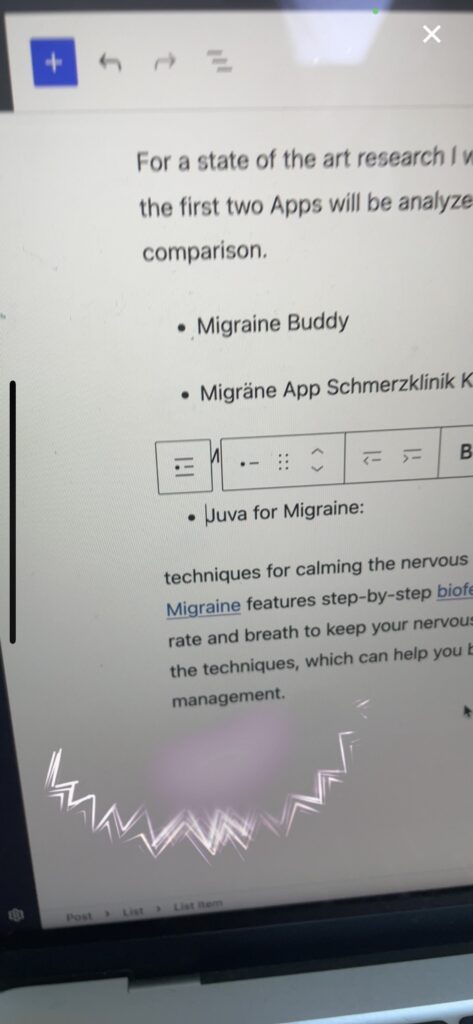
This feature seems suitable to show a person that has never had a migraine attack before how it looks like when you’re sight suddenly gets blocked by flashing lights and blind spots. However, I personally have to say that my aura doesn’t look as subtle or pinkish but hurts way more when you look at it since the speed of the flashing is so fast that it feels unbearable and uncomfortable. And my aura usually blocks more of my eyesight, mostly the center of where I am trying to look at. But the idea behind this simulation using your camera to put you into the shoes of a migraineur could be a great method to increase emapthy and understanding.
The other two options are video demos that demonstrate the sudden start of an aura while driving a car and while sitting in front of a river. They are great options if you just want to demonstrate two different visualizations in different settings. This idea again seems really convincing since migraine attacks for most migraineurs start suddenly without warning signs so they really could occur in every possible situation such as driving or in the park.
Benefits
- fast test feature to identify if your headache is considered migraine by answering questions
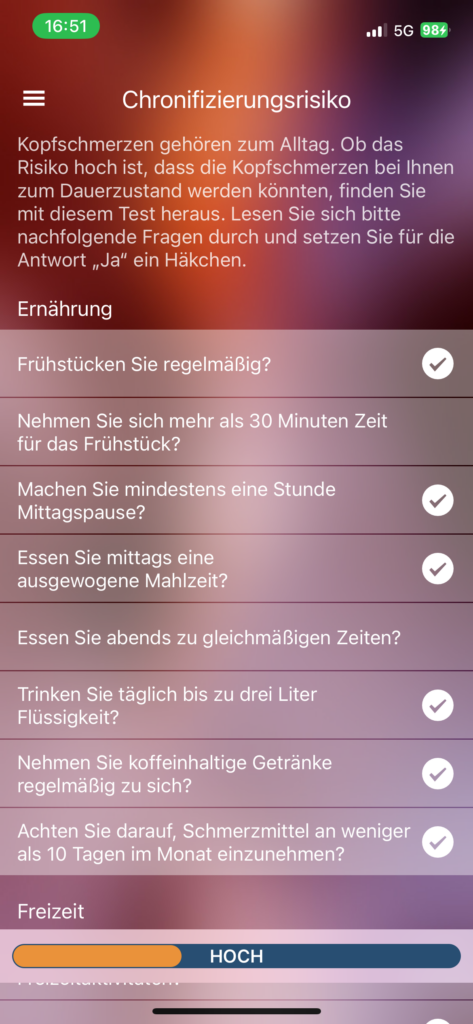
- Risk of chronicity test to identify how high the risk of having a migraine attack by answering questions related to nutrition, free time and work
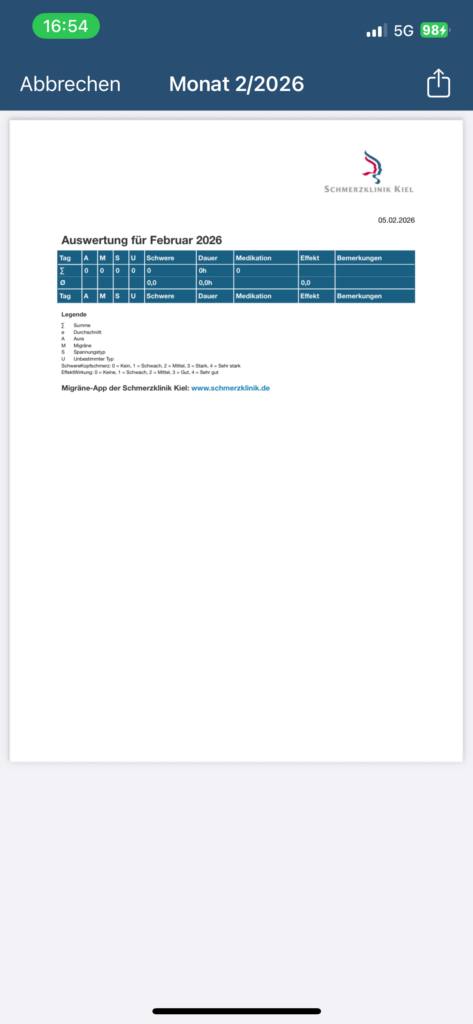
The following feature also seems very useful. Users can quickly create a generated document with an overview of a month within the App to export the data. This action can be found on the Calendar screen and could be very helpful when visiting a neurologist if you have entered your data consistenly in the App!
Progressive muscle relaxation feature
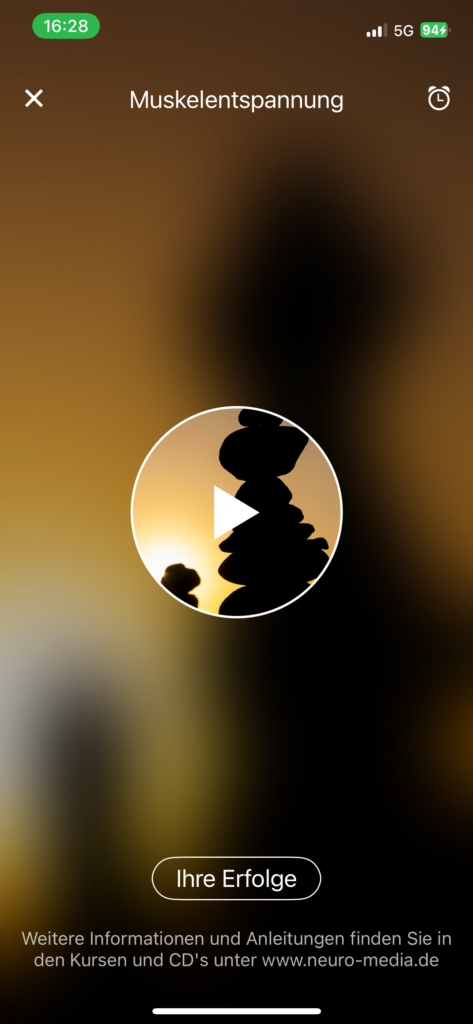
A guided progressive muscle relaxation session where the user clicks on play and the audio starts to give instructions on how to breathe and relax your muscles. A very simple feature within the application which I have tried out. But I would prefer to be able to change some settings e.g. the voice or speed of the speaker. After trying this feature a third time I got pretty bored since it was very monotone.
Cons
The overall design is very similar to an old Windows version and looks sort of outdated. I don’t know how others perceive this app but it the look of it distracted me from the actual meaningful features.
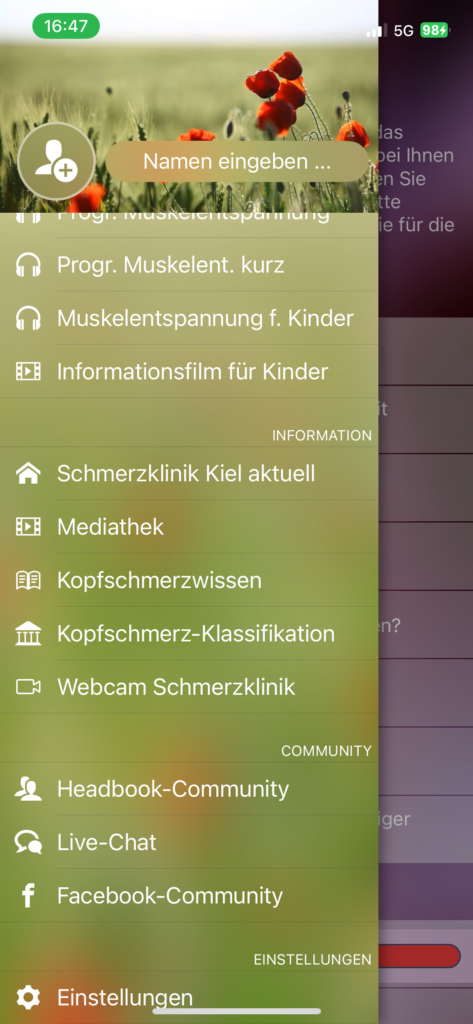
Many information features (“Schmerzklinik Kiel aktuell” media library, “Kopfschmerzwissen”, “Kopfschmerz-Klassifikation, Headbook community, live chat, …) are external links to websites or YouTube which breaks the user flow by pulling users out of the application without prior warning. The links aren’t clearly labeled as links you just see a new tab open after clicking on them.
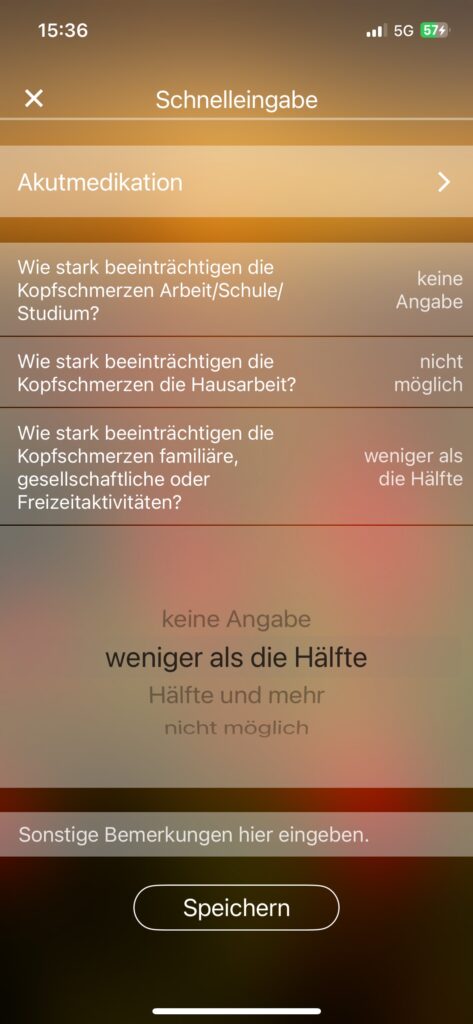
The entry options for the rating of the impact of migraine also was a bit unexpected. I would prefer to rate the impact with numbers from 1-10 or with adjectives and not with “less than a half”, “half and more”, etc.
Conclusion
All in all the features of this app developed by the pain clinic are mostly very meaningful and the benefit for each included feature is clear. The app is intended solely for information, documentation, and personal organization purposes. It helps you keep track of your own entries in a structured way and maintain an overview of your individual progress.
However the design may feel a bit off and not up-to-date to people who use other apps and care about the visual parts as well.
