Calm Tech Institute Awards – Part I

As I started researching product examples that demonstrate how interactions could be designed in a calm and respectful way, I came across the Calm Tech Institute Awards. Through this initiative, the Calm Tech Institute recognizes products, services, and technologies that are designed according to the principles of calm technology. Products are evaluated through a 81-point criteria covering categories such as:

  • attention: Products are evaluated on how they work with (or against) human attention.
  • periphery: How does the product engage other senses through peripheral attention?
  • durability: How does the product break down? Does it offer support to customers in some way?
  • light: Does the product use warm lighting or harsh, blue lights?
  • sound: How does the product sound? For products with moving parts, what actions have been taken to prevent excess noise?
  • materials: What kinds of materials are used?

The award spans a wide range of product and service domains, including:

  • Smart Appliances
  • Transportation
  • Electronics
  • Artificial Intelligence
  • Automotive
  • Health
  • Homes
  • Vacation Rentals
  • Museums
  • Education
  • Websites and Apps

This framework shifts the focus away from novelty and constant engagement, instead emphasizing thoughtful, human-centered design.

In this and the next blog entry, I want to take a closer look at some of the products that have received this award and explore how they translate calm technology principles into real-world design.

“Dreamie” by Hello Ambient
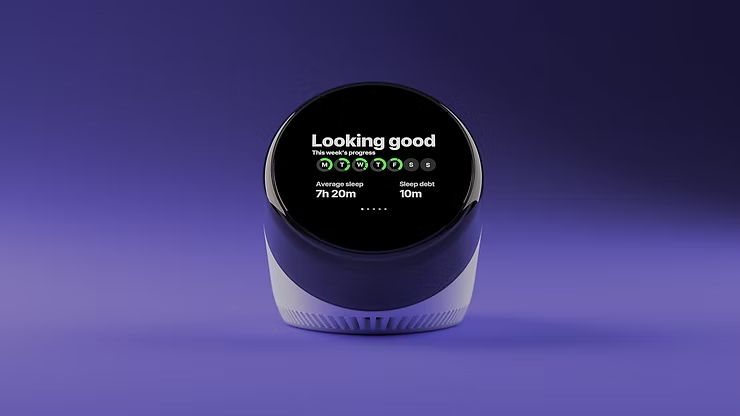
Last year’s highest certified product is a bedside sleep companion called Dreamie. The device is designed to reduce phone usage in the bedroom. A space that should ideally be reserved for rest and recovery. Looking at sleep behavior research from the American Academy of Sleep Medicine (AASM), it quickly becomes clear why this is such a relevant use case for calm technology.

ccording to the AASM, 87% of adults keep a phone in their bedroom, and the majority of them report not getting enough sleep due to phone usage. Other studies show that just one hour of screen time after going to bed increases the likelihood of insomnia symptoms by more than 50%. Screen use at night is also associated with an average loss of 24 minutes of sleep. These numbers highlight a clear opportunity for a device that keeps technology present, but firmly in the background—supportive rather than disruptive.

Based on their research, the AASM recommends several habits to improve sleep quality:

  • Disconnect from devices at night
  • Leave your phone in another room
  • Follow a relaxing nighttime routine
  • Have a sleep schedule
  • Turn off push notifications

Dreamie, developed by Hello Ambient, directly addresses these recommendations and turns them into design requirements. Instead of asking users to rely on willpower alone, the device offers an alternative that fits naturally into existing bedtime routines.

At its core, Dreamie is more than a smart alarm clock—it is a carefully considered design solution. Recognizing how hard it can be to resist media consumption before sleep, the device provides calm, sleep-focused audio content. This creates a gentle alternative to scrolling through a bright, distraction-filled phone screen, helping users wind down rather than stay engaged.

In addition, Dreamie tracks sleep patterns without requiring wearable devices, reducing friction and discomfort. It also features a daylight-based alarm, which is widely considered to be a more natural and less jarring way to wake up compared to traditional sound alarms. Interactions are handled through tactile, physical controls, allowing for eyes-free adjustments in the dark—an intentional design choice that avoids bright screens and supports a calm, sleep-friendly environment.

Taken together, these features strongly align with calm technology principles. Dreamie avoids competing for attention, supports healthy sleep habits, and stays in the background when not needed—showing how research-driven insights and calm interaction design can address a widespread problem.

References:

AI Assistance Disclaimer:

AI tools were used to improve grammar and phrasing. The ideas, examples, and content remain entirely the author’s own.
Embodied Interaction: How the Body Influences Our Perception of Slowness 7/10

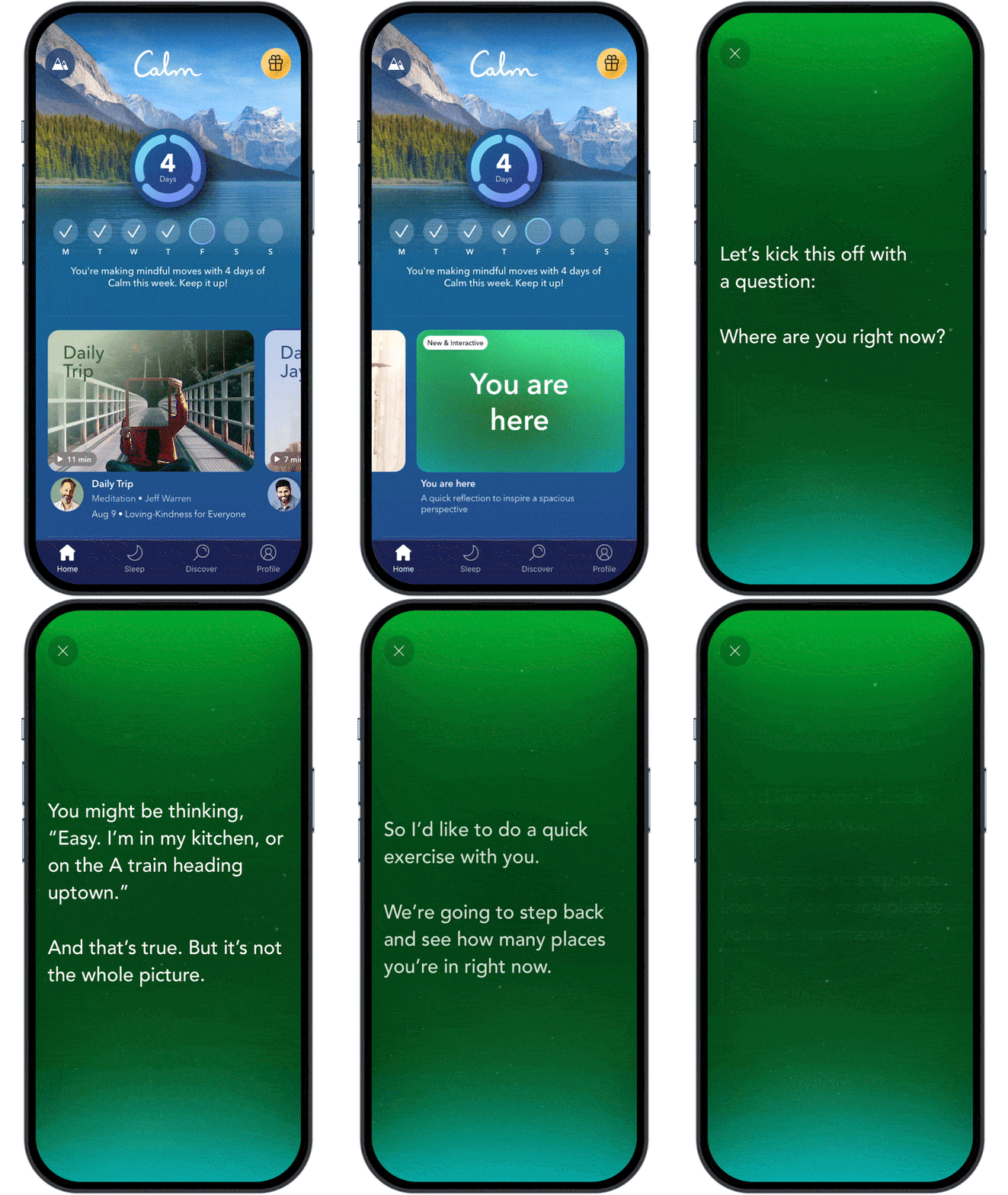
Some focus and writing tools deliberately avoid real-time notifications or visual noise, allowing users to remain physically settled for longer periods.

Good example is iA Writer, which minimizes interface elements to reduce physical and cognitive agitation.

Temporal Experience in UX: How Interfaces Shape Our Sense of Time 6/10

Case Study Review: Digital Products That Already Practice Slowness 5/10

Calm & Slow Interaction: Key Principles for Designing Attention – Aware Interfaces 4/10

Designing for Speed: How Fast Interfaces Shape Our Digital Behavior 3/10

Drink Smart and Keep Calm: Technology that Stays in the Background – Part II

In my previous blog post, I introduced the concepts of Ubiquitous Computing and Tangible User Interfaces through the example of a smart water glass. When we return to this example and look on the character of the interaction and the information flow, shifting our attention from the what it does to how it communicates, the principles of Calm Technology become visible.

What is Calm Technology?

Calm Technology is a design principle, that aims to keep devices at the periphery of our attention by offering information only when it is contextually relevant, and in a subtle, unobtrusive way. Instead of demanding focus, such technologies blend into the background of daily life and surface only when intervention is needed. In doing so, they seeks to reduce cognitive load, minimize stress, allowing people to remain focused and productive while staying connected with technology without feeling overwhelmed by it. (Weiser, Brown, 1995 & 1996) 

What is Periphery?

I just mentioned calm technologies aim to keep at the periphery – but what exactly does periphery mean? To understand how the principles of Calm Technology work, we first need to look at how interaction engages our attention. We can distinguish between the center of our attention and the periphery. The periphery describes everything that is not in our direct focus, yet still registered in the background.

For visual perception, for instance, the center of attention might be the text we are currently reading, while the surrounding room remains in the periphery. Our center of vision is optimized for detail, color, and object recognition. Peripheral vision, in contrast, detects motion, overall shapes, and spatial layout. It helps us sense changes in our environment and guides our attention when something becomes relevant.

Calm Technology makes intentional use of this dynamic. It works by allowing information to move fluidly between the center of attention and the periphery. The periphery is powerful and informative: it enables us to notice important changes while leaving us free to decide whether something should shift into the center of our attention—or remain quietly in the background.

The Principles of Calm Technology

Now let’s take a look at the eight principles of Calm Technology, which were developed as a framework for designing technology that works with human attention and use them to analyze our smart water glass.

  • 1. Technology should require the smallest possible amount of attention

Our water glass in general embodies this idea: it doesn’t beep, flash aggressively, or require deliberate interaction. Instead, it tracks the amount and frequency of drinking by itself and might glow softly when hydration is low. The glass communicates through presence rather than interruption.

  • 2. Technology should inform and create calm

Information is only given when required, therefore it gives people just the amount of information they need to solve their problem

  • 3. Technology should make use of the periphery

Because the output of our smart water glass is designed to be gentle and ambient, it can be perceived through peripheral attention rather than demanding direct focus. Its cues remain unobtrusive in the background, becoming noticeable only when needed.

  • 4. Technology should amplify the best of technology and the best of humanity

The smart water glass does not force the user to drink through disruptive notifications. Instead, it gently indicates how much time has passed since the last sip, helping the user remember to stay hydrated without imposing strict rules. This approach preserves the user’s autonomy: they remain in control, while the technology quietly supports their goals.

  • 5. Technology can communicate, but doesn’t need to speak

By informing the user peripherally through subtle ambient lighting, the smart water glass communicates its message without the need for sound or explicit verbal cues.

  • 6. Technology should work even when it fails

Even if the smart water glass fails to detect a drinking event, the user can still drink normally. The technology enhances the experience but does not prevent the core activity from occurring.

  • 7. The right amount of technology is the minimum needed to solve the problem

The smart water glass focuses solely on reminding the user to drink, without adding unrelated information or features. By limiting its functions to the immediate goal, it avoids overwhelming or confusing the user.

  • 8. Technology should respect social norms.

By keeping its output subtle and non-disruptive, even in the presence of other people, the smart water glass respects social norms and avoids drawing unwanted attention.

In summary, the smart water glass demonstrates how Calm Technology principles can guide the design of devices that are informative, unobtrusive, and supportive—enhancing human behavior while remaining in the background of daily life.

In the next blog entry, I will take a closer look at the characteristics that make technology truly calm and explore how and why we perceive certain technologies this way. I will also discuss the relationship between Ubiquitous Computing and Calm Technology, and what these ideas mean for the field of User Experience Design.

References:
  • Weiser, M., Seely Brown, J. (1995): “Designing Calm Technology“, Xerox PARC
  • Weiser, M., Seely Brown, J. (1996): “The Coming Age of Calm Technology“, Xerox PARC
  • Case, A. (2015): “Calm Technology: Principles and Patterns for Non-Intrusive Design
  • https://calmtech.com

AI Assistance Disclaimer:

AI tools were used to improve grammar and phrasing. The ideas, examples, and content remain entirely the author’s own.
Not just rainbows and pretty patterns

This week I dived into research about the neurological disorder to gain a better understanding of it.

Challenges

When researching about a health-related topic, I’ve faced some obstacles while trying to do a superficial research. While writing my Bachelor thesis I learned the importance of understanding that I as a Designer won’t be able to understand every information I come across since most sources are of the medical and therefore full of latin and scientific terms that are hard to understand. But the lesson I learned is to never forget the reason of why I am reading those scientific papers in the first place. The goal isn’t to understand every single detail but to gather a basic understanding of the topic. This base will then enable me to proceed with more knowledge about it and continue with the Design work. As I started reading papers about migraine I kept reminding myself to remember this lesson in order to prevent myself from feeling too lost in detailed sections. Trying to be selective with my sources is also helpful since I am the person choosing them and deciding which sources or sections are diving too deep into neuroscience.

With this in mind I started asking myself which questions could be relevant for a superficial investigation and collected following results:

Terminology

The word migraine comes from the Greek word hemikrania which means half of a skull. This term was then translated to French: migraine. The reason is that the pain affects one side of the head. [1]

The phases of a migraine attack

A migraine attack is usually characterized by four different phases: [2],[3]

  1. Prodome: occurs hours or days (as early as 3 days) before the headache phase, including symptoms such as appetite changes, thirst, yawning, etc.
  2. Aura: appears immediately before the headache (usually flickering lights, blurred vision,…)
  3. Headache: pain phase (usually pulsating)
  4. Postdrome: after an attack characterized by non-headache symptoms such as cognitive deficits, fatigue, and others

What surprised me most is that the first phase already begins before the one-sided headache pain even starts. The symtoms that are described such as yawyning, appetite changes or thirst also don’t indicate clearly that a migraine attack is about to start. If a person that is menstruating would analyze their symtoms it wouldn’t be easy to identify whether it is due to a migraine or their menstruation. Even mood changes are reported as a symtom which would also cause the same problem.

Migraine can be classified into two categories: Migraine with aura and Migraine without aura.

Visual aura: occurs in approximately 15–33% of patients affected by migraine attacks. I would like to elaborate more on this topic as it is one important aspect of this complex neurological disorder.

Sensory aura: Perceived as pins-and-needles tingling or numbness starting in the lips/tongue, face, or hand, spreading slowly to the arm or body. Positive sensations dominate, feeling like a wave of prickling.

Speech/language aura: Difficulty finding words, slurring or fluent but nonsensical speech, often unilateral and concurrent with other auras

How does visual aura look like?

The experience of visual aura differs. Some people perceive:

  • Zig-zag patterns
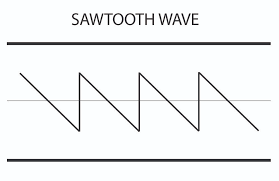
  • Sawtooth patterns (see picture below)
  • Geometric shapes
  • Stars
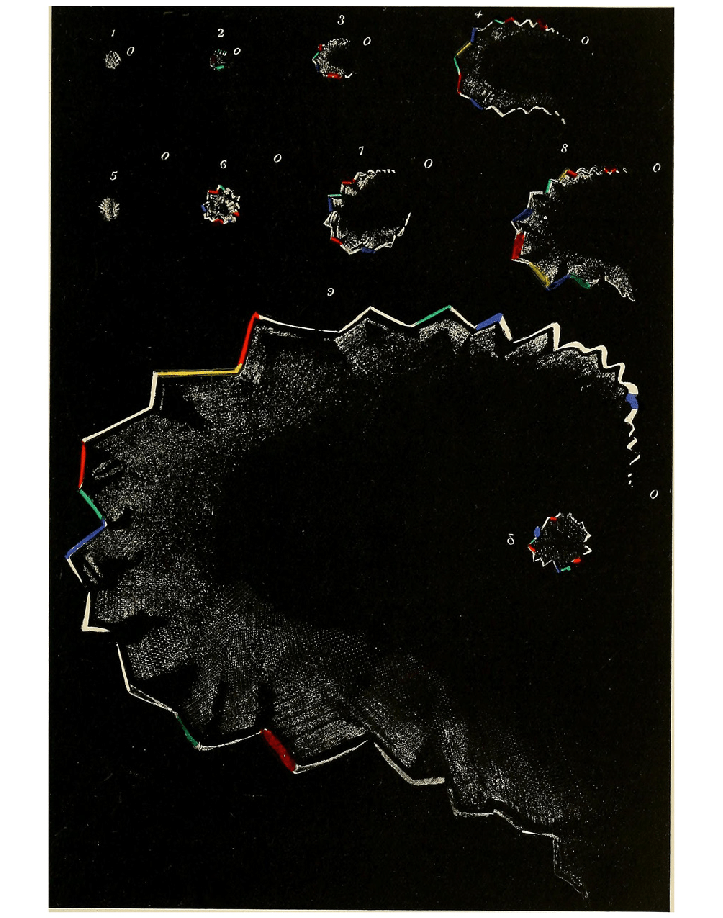
  • Scintillating scotoma (shimmering blind spot that expands)

Image 1: Sawtooth wave form

Some migraineurs experience blind spots or temporary vision loss. (e.g. when I thought I was going blind during sports class). It often begins in the center or periphery of vision and spreads graduall, resembling a so-called “fortification spectrum” or wavy lines.

Example of a migraine aura: This picture illustrates the typical gradual expansion of a migraine aura along with the characteristic fortification spectrum.

The visualizing of aura

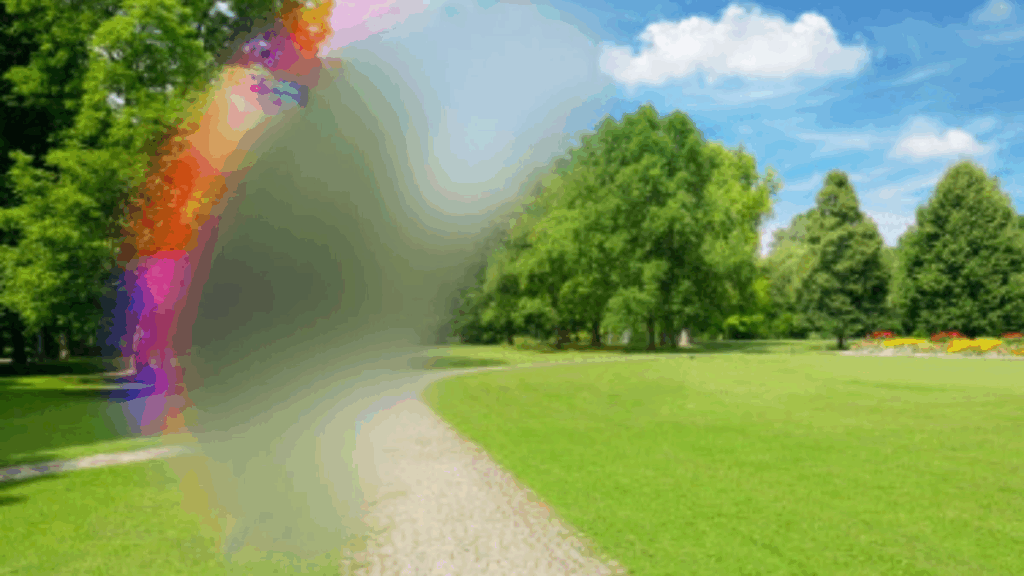
When I tried to look for images that depict a migraine’s aura I was a bit underwhelmed. Most of the edited images or drawings create a rather aesthetic looking effect.

The warm colors of this image combined with the pastel and colorful lines create a happy and warm mood. For me as someone who experiences visual aura regularly this image is rather irritating and I wouldn’t associate it with migraine.

This image does illustrate a blind spot that is blocking the viewer’s sight but the colorful elements next to it again are more similar to a beautiful rainbow than an overwhelming sight loss.

It was a challenge to find a realistic depiction that didn’t leave me with a weird feeling while looking at it. A negative consequence could be that viewers might come to the conclusion that visual aura looks harmless and is actually aesthetic.

After reading more neuroscientific research articles I started searching with scientific keywords such as “fortification spectrum” and then found images that resembled my visual aura more.

Conclusion

When sharing experiences about migraine attacks I often struggle with explaining the visual part of it and how deeply it actually it hurts to see those flashing lights. Since you are the only person it is visible for it is hard to describe, especially since it is related to so much discomfort and pain. Now that I learned that migraineurs report different visual aura I feel intrigued to look more into this topic. It could be interesting to ask people that have perceived visual aura to describe it and have a look at aura simulations. As I am personally affected I could even try to visualize my aura myself and aim for a more realistic draft without embellishing it.

References

  • Rose FC. The history of migraine from Mesopotamian to Medieval times. Cephalalgia. 1995 Oct;15 Suppl 15:1-3.
  • Vollesen AL, Benemei S, Cortese F, et al. Migraine and cluster headache – the common link. J Headache Pain 2018; 19: 89.
  • Stankewitz A, Aderjan D, Eippert F, et al. Trigeminal nociceptive transmission in migraineurs predicts migraine attacks. J Neurosci 2011; 31: 1937–1943.
  • Dongen, Robin & Haan, Joost. (2019). Symptoms related to the visual system in migraine. F1000Research. 8. 1219. 10.12688/f1000research.18768.1.

Images

What does “Slowness” actually mean? 2/10

Designing for Slowness: The Role of Slow Living in Interaction 1/10

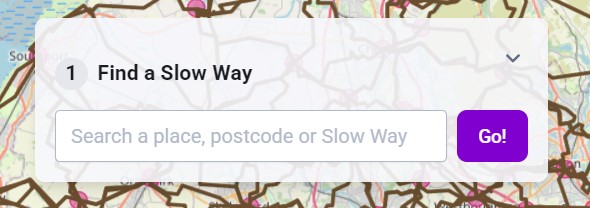
[5] Image source: Slow Ways, a UK-based initiative encouraging slower, more mindful mobility.

1.Delving deeper into the concept of “slowness”

2.Comparing urban contexts

3.Analysis of existing tools and platforms

4.Methods and design experiments

5.Conceptual framework