Introduction
What if plants could communicate their needs in a simple and intuitive way?
This project explores how design can make plant care easier and more engaging through light and sound. Instead of checking apps or guessing, the idea is to create a product that gives immediate feedback, helping users understand their plants at a glance.
In the next blog posts, the different steps of prototyping and developing this plant care product will be presented.
Concept
The concept is a design product for plant care. When the product is brought close to a plant, it detects the soil moisture and responds by changing color to indicate the hydration level. At the same time, each plant can trigger a specific sound.
Technology and Interaction Exploration
An important part of the project is exploring how to design sensory feedback.
The idea is to combine sound and light to communicate information. Different technologies are considered and tested to find the most effective solution.
These include:
- ESP32 and Arduino for system control
- Infrared sensors or magnets for proximity detection
- Soil moisture sensors to detect hydration levels
- LED lights to display feedback through color
This phase focuses on understanding which components work best together and how they can create a smooth interaction.
LO-FI Prototyping
The project developed through different low-fidelity prototypes.
First prototype:
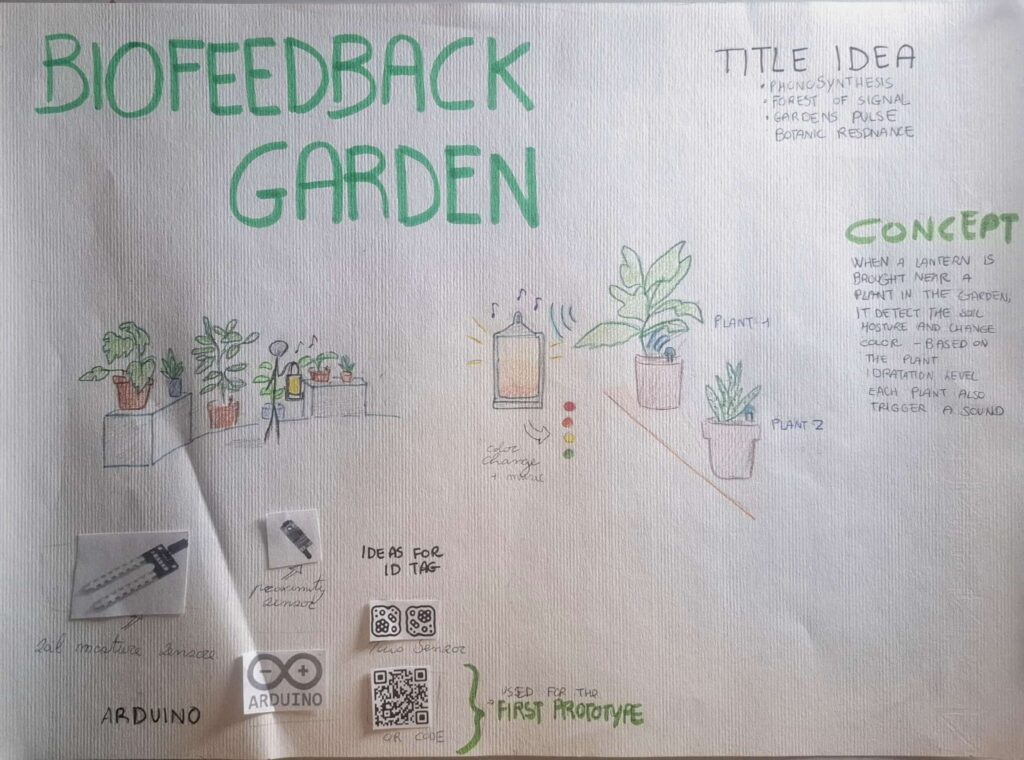
A schematic was created to illustrate how the system works, and a visual will be included to support it. In the poster, the provisional title “Biofeedback Garden” was introduced, together with alternative name ideas and sketches that show how the interaction takes place.
Second prototype:
The design of the product was explored.
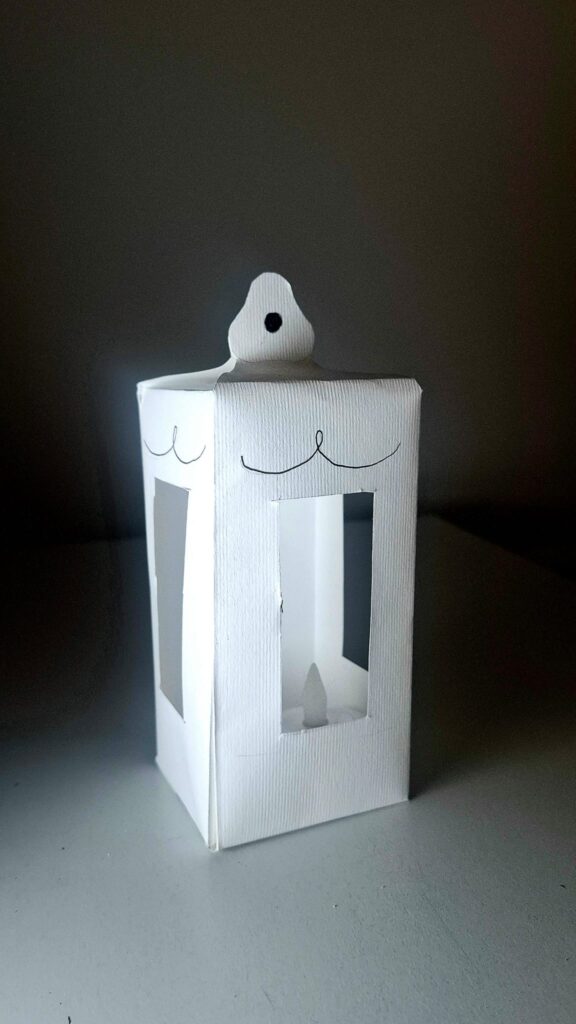
The idea is to give it the shape of a lantern, with LED lights inside that can change color. The form should feel soft and suitable for an indoor environment.
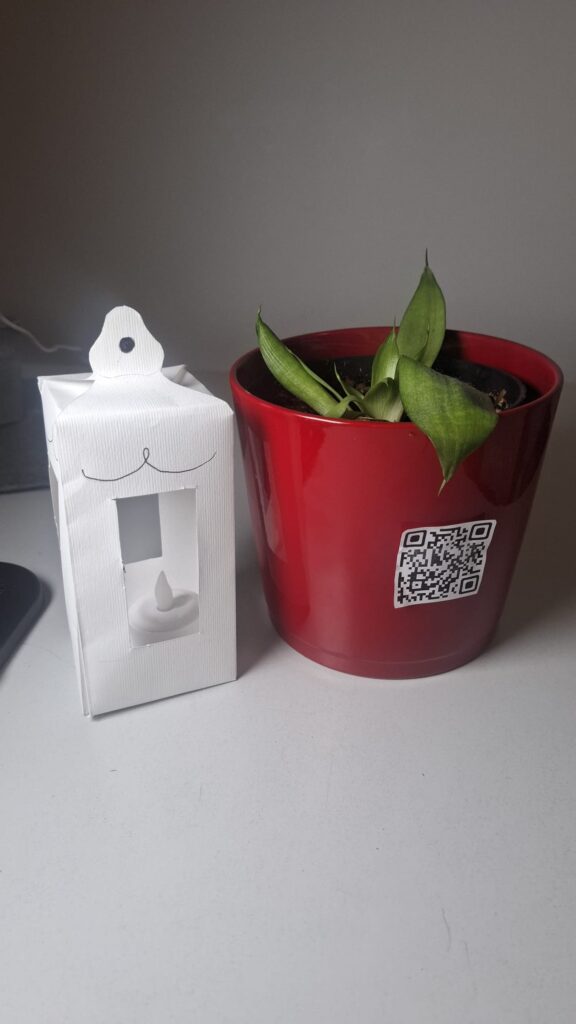
Third prototype:
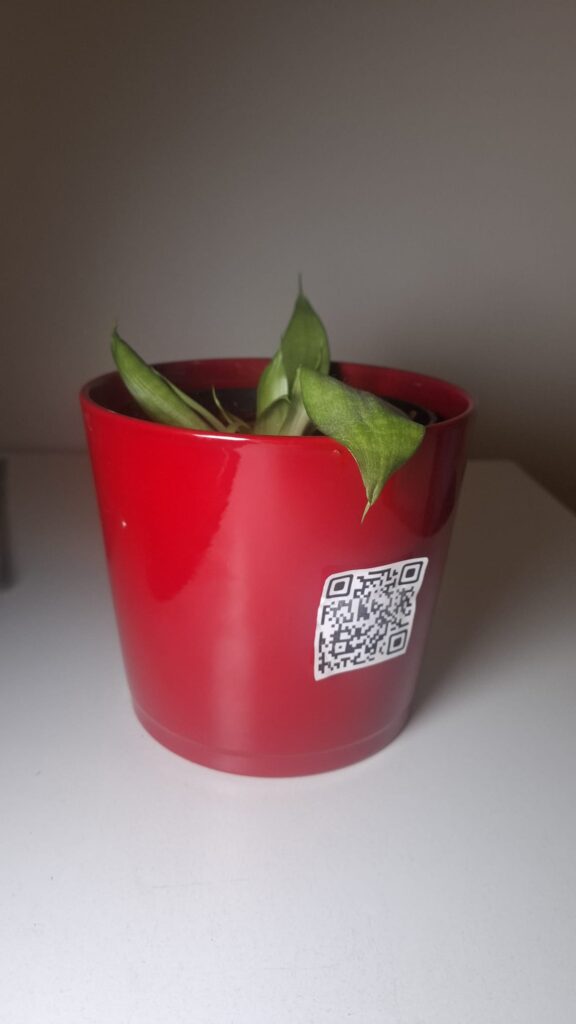
A digital simulation was created using a QR code placed on a plant.
When the QR code is scanned, a website opens showing the hydration level as a percentage. The background color changes to simulate the light of the product.
This prototype also simulates the action of bringing a device close to the plant and the color change of the lantern.
Insights from User Testing
Some important insights emerged from a class test.
- The website should not only show a percentage value, but also explain what the value means. The interface needs to be clearer and more direct.
- It also became clear that using a phone is not the best solution. At home, people often want a break from technology. A physical, non-digital object is more appropriate for this context.
Finally, the color system needs improvement.
The initial idea was:
- Green = well hydrated
- Yellow = medium
- Red = needs water
However, this feels too similar to a traffic light. For indoor use, a softer and more “cozy” color palette would be more suitable. One possible solution is to allow users to choose their preferred colors.
