Before I started experimenting in Figma, I sketched a few ideas on paper to find a basic layout for my website. At first, I came up with a layout that closely resembled a typical AI interface.
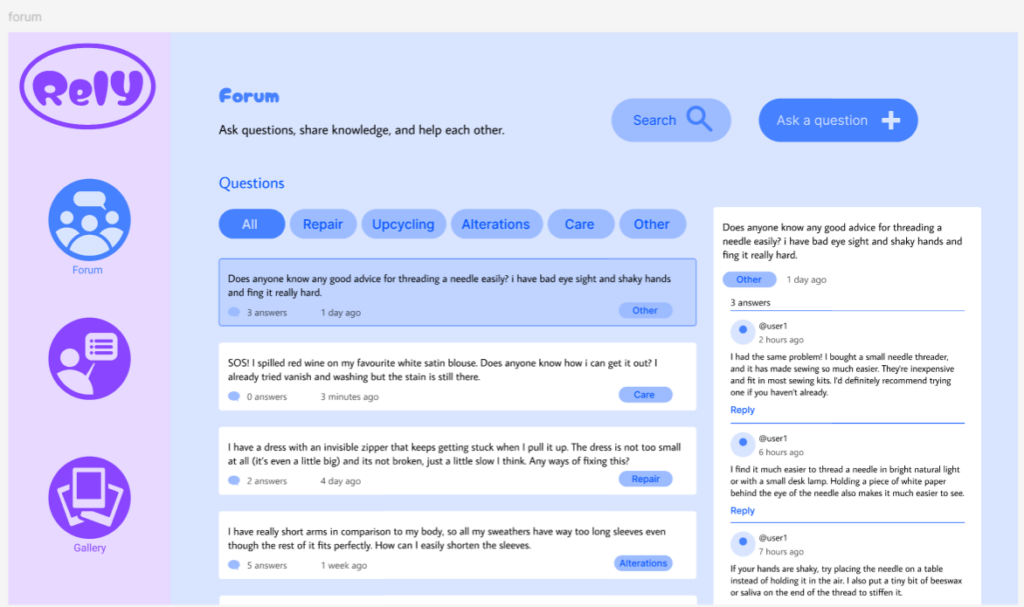
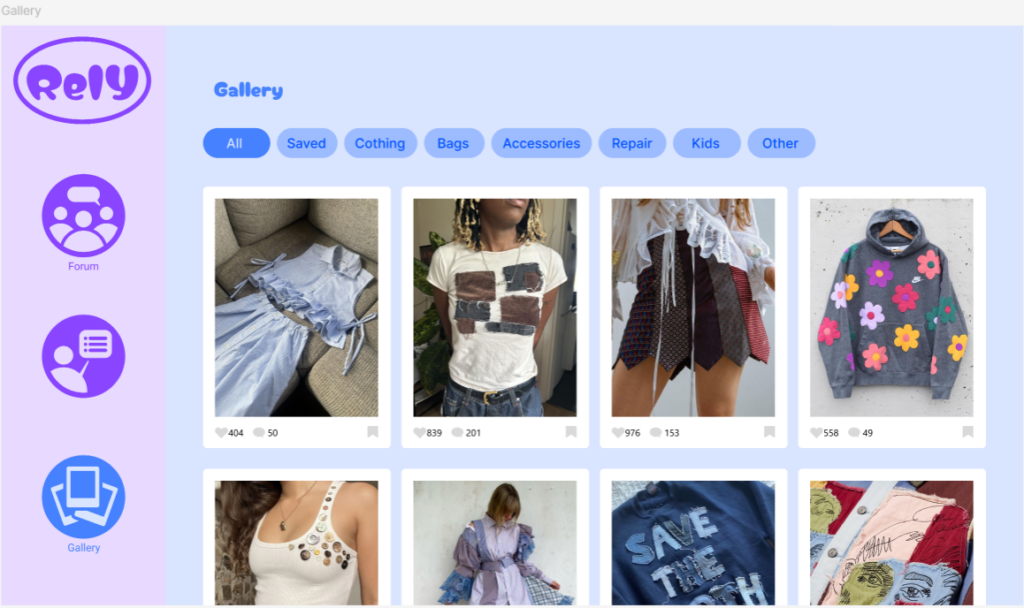
First Figma wireframes:
I tried to translate my sketches into a digital design while exploring which colors to use. I wanted the website to feel vibrant and playful because it’s meant to support a hobby that people enjoy for fun. I wanted to avoid giving it a serious or overly formal look. I really wanted to incorporate green because I feel like it symbolizes sustainability and a focus on the environment. I also really like how purple and green look together, so those are the two main colors I decided to go with.

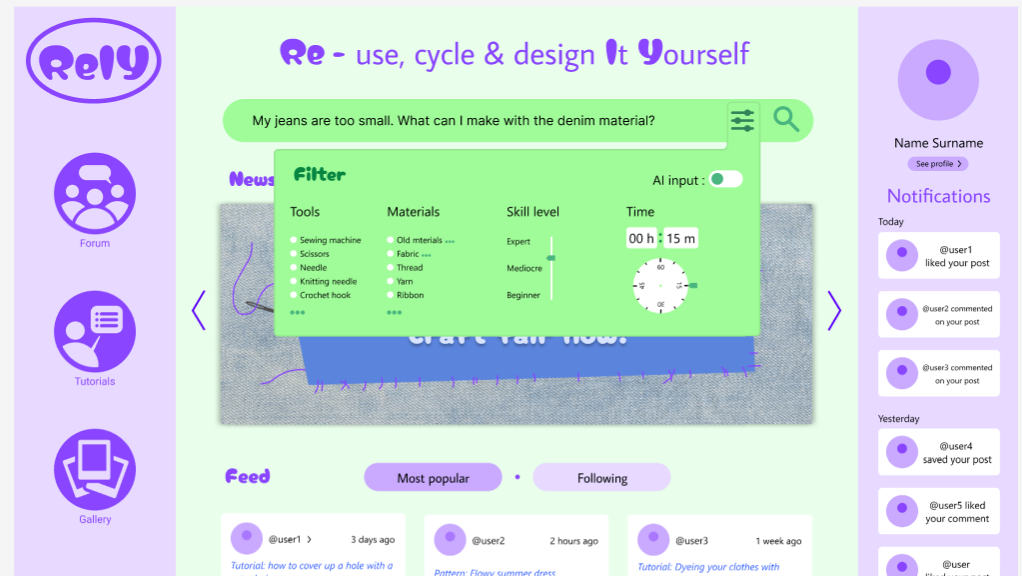
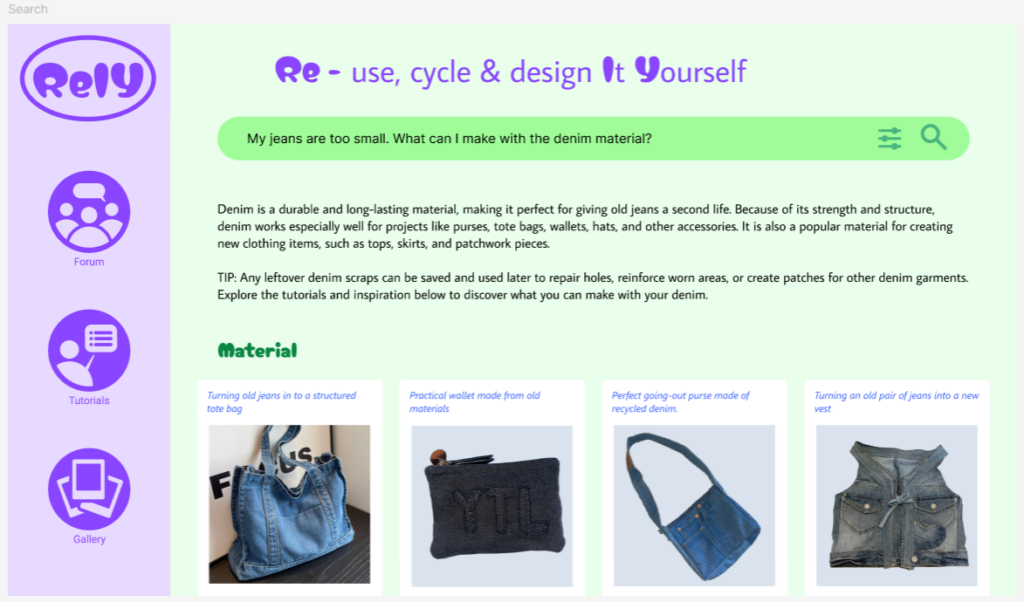
Final Figma Wireframes:
I decided to place less emphasis on AI on the website and instead focus more on the community, so I wanted the design to reflect that. I decided to go for an almost social media style layout, where you can access your profile on the right. I also placed the notifications on the right to emphasize the focus on community and helping each other. The search function is placed at the top center of the website to highlight its importance. I also added a news widget where updates about events and other community activities can be displayed to strengthen the community both online and in real life. Below that, as you scroll down, you’ll find a feed of posts from users you follow as well as popular posts. On the right, you can access the forum, tutorials, and gallery.

The filter function is designed to help users find more relevant results. I wanted to make it as easy as possible for people to describe their situation and find exactly what they’re looking for.
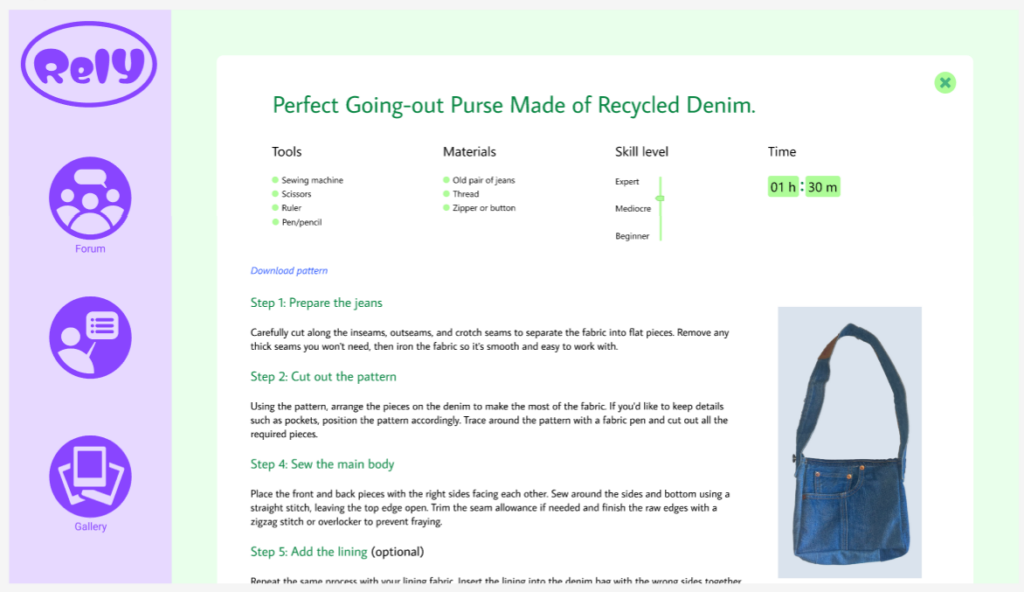
I used a blue color palette for the Forum, Tutorials, and Gallery pages to introduce more color and clearly distinguish them from the search function. While the search feature is designed for finding answers quickly, these pages serve as resources that users can browse and explore at their own pace.
I designed the forum to be simple and intuitive to use. Users can filter posts by category, easily read and comment on other users’ posts, and create their own questions when they need help.