5# Product & Business Idea – Design & Research II (Katerina)

Thanks! 🙏

4# Customer Profile & Value Proposition Map – Design & Research II (Katerina)

Product/Business Idea

What problem are you solving? Externalizing one’s own internal proprioception and bodily and spatial awareness is not easy, and varies from person to person depending on their mental model.  

Why should we care about it? Through sports (specifically aerial silks, in this case), people get adrenaline, maintain good physical and mental well-being, and create community. However, there is a barrier to entry in the fact that people believe it’s harder and less safe than it actually is, leading to people potentially not finding a hobby that could bring them joy. 

What is the solution you are offering? How does it work? I am offering an aerial silks teaching kit including colorful sleeves and a physical 3D model of a human, which has articulating joints and an additional apparatus add-on (starting with aerial silks). This model would have the possibility of demonstrating aerial silks figures on a smaller scale and with lower stakes. Plus, a premium model would have digital capabilities, with sensors embedded in the sleeves to track the person’s movements and be able to represent it autonomously in the model. This kit would also come with an accompanying app that will function as a personal digital aerial diary to log and track your own progress and create community. 

Who is the target audience? Who is the customer? The target audience is the aerial silks student who wants to learn new figures. However, the customer is both the student and also the aerial silks teacher that wants to be able to explain in more classes without having to expense copious amounts of physical energy. 

What is going to happen? (Change & Impact) Aerial students will be able to have more mental security that they will be safe trying out a specific new figure. They will get a deeper understanding for their own body and spatial awareness. The learning curve of new tricks will be lesser, making students able to learn and retain information quicker. Students will be able to, on their own, see if a figure is appropriate for their level, decipher individual moves, try it out in a low-stakes environment, and identify which points have to be taken more care of in order to be safe (e.g. detect essential and nonessential parts of a figure). 

—  

Source:  

Own ideation  

Customer Profiles, Value Proposition Map, and Business Model Canvas 

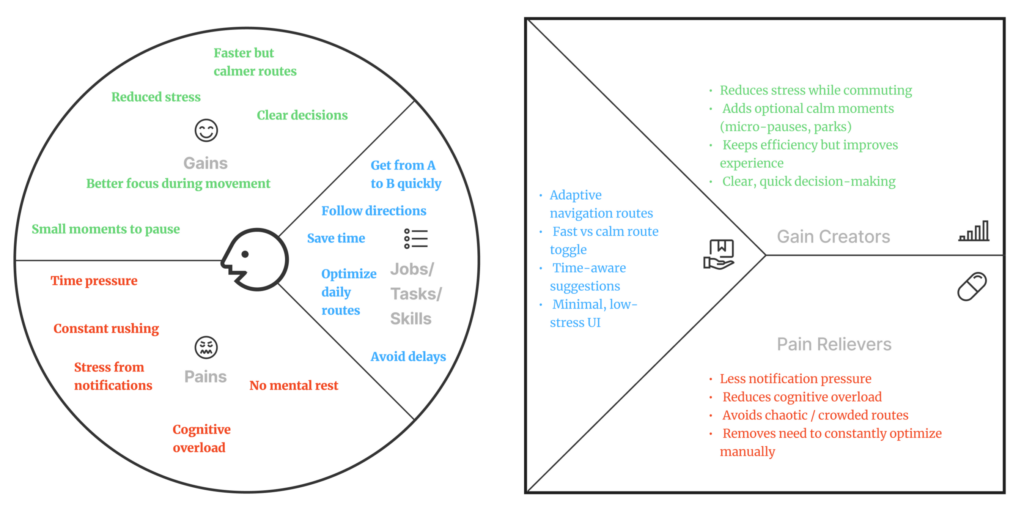
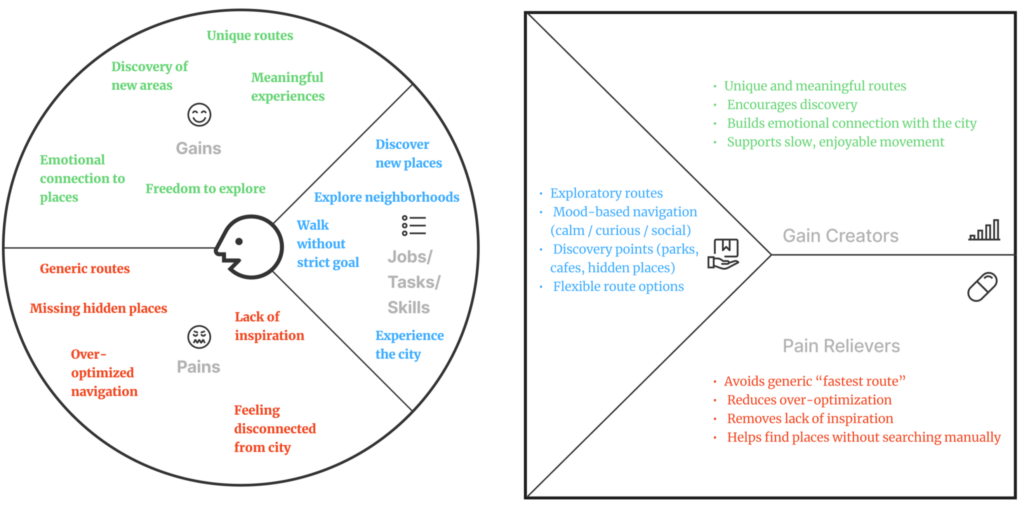
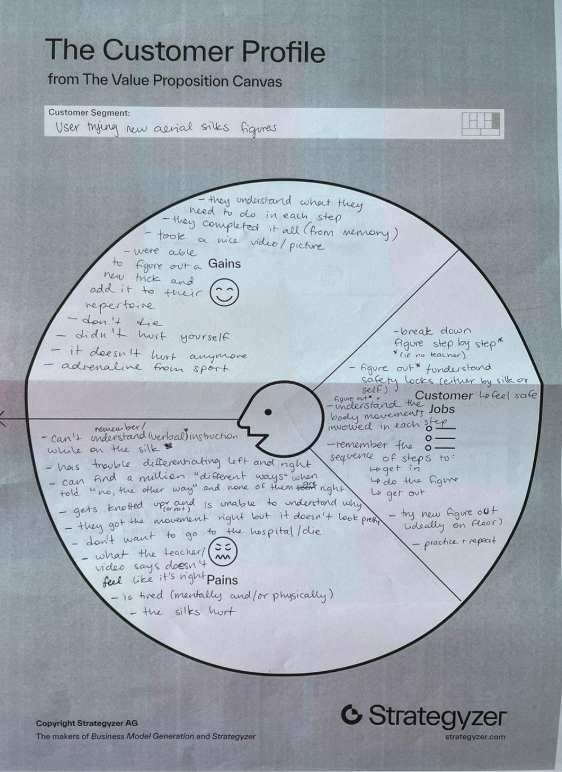
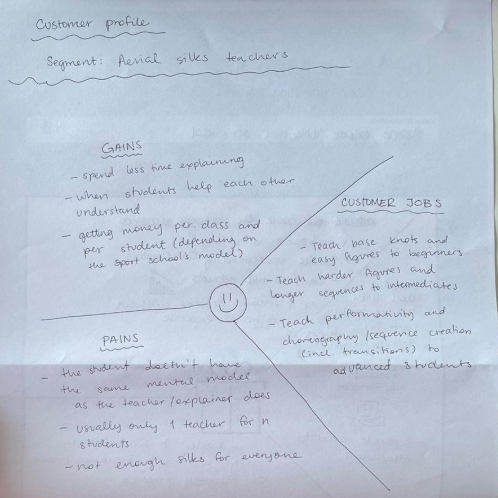
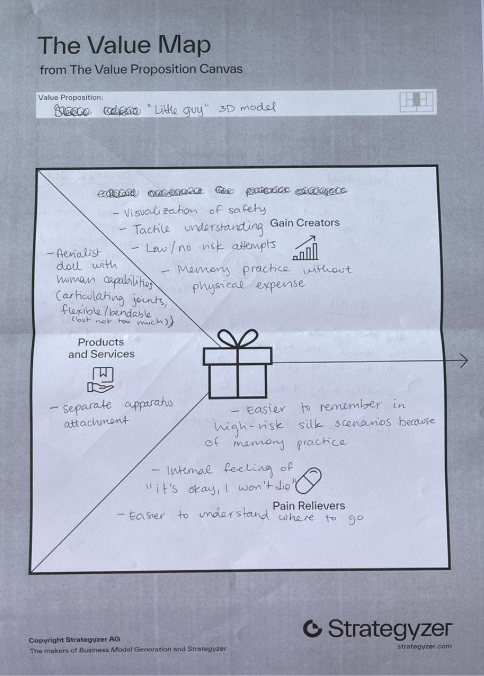
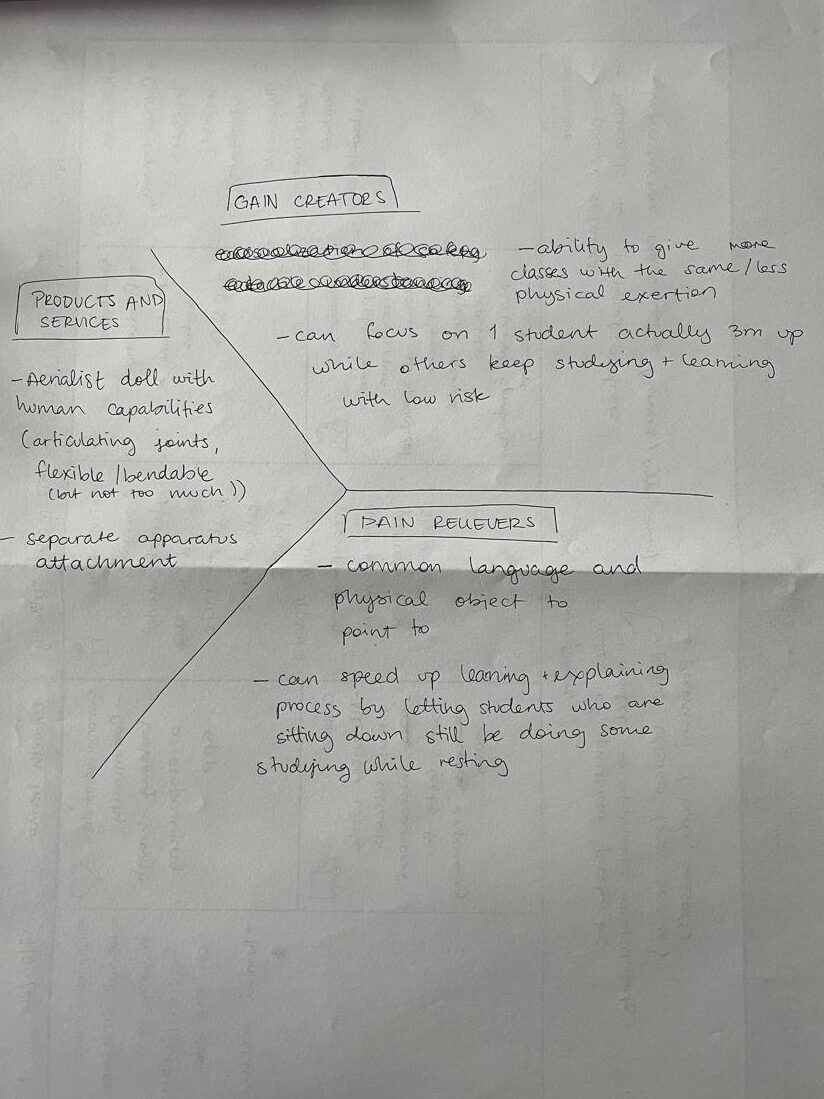
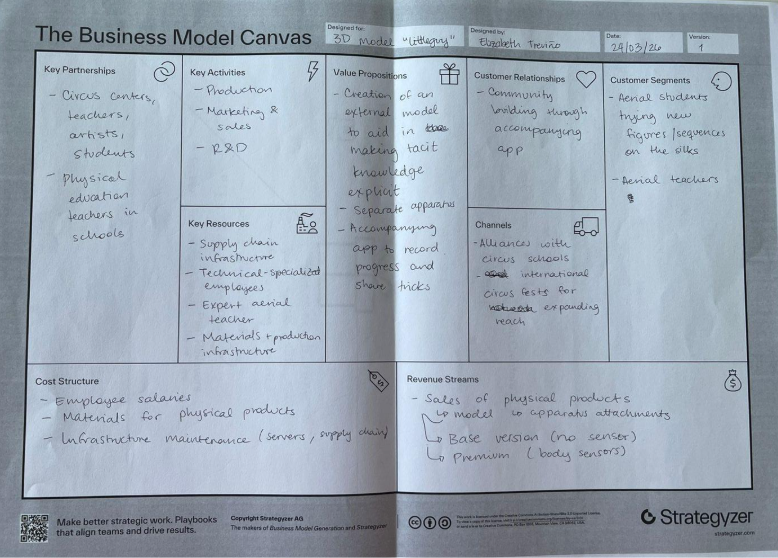
The following are representations of the 2 customer profiles, the value proposition map, and the business model canvas of my prototype. 

Own image. 

Own image. 

Own image. 

Own image. 

Own image. 

Through this exercise, I realized the possibility of expanding my low-level prototype into a digital tool and environment. It would be interesting to explore how a tailor-made app can elevate the experience of using my tool and learning aerial silks, working as a sort of personal diary to log your learnings and new tricks (in progress/mastered) and create community for aerialists from all over the world to help each other. Not only that, but sensors could be added to the wearable sleeves that could communicate with a “premium” (premium because it would have digital capabilities besides his analog ones) version of the 3D little guy aerialist to observe what an aerialist did that was wrong/right.  

—  

Source:  

Own ideation  

NIME Article Review – Sonic City: The Urban Environment as a Musical Interface

3# Inclusion & Accessibility – Design & Research II (Katerina)

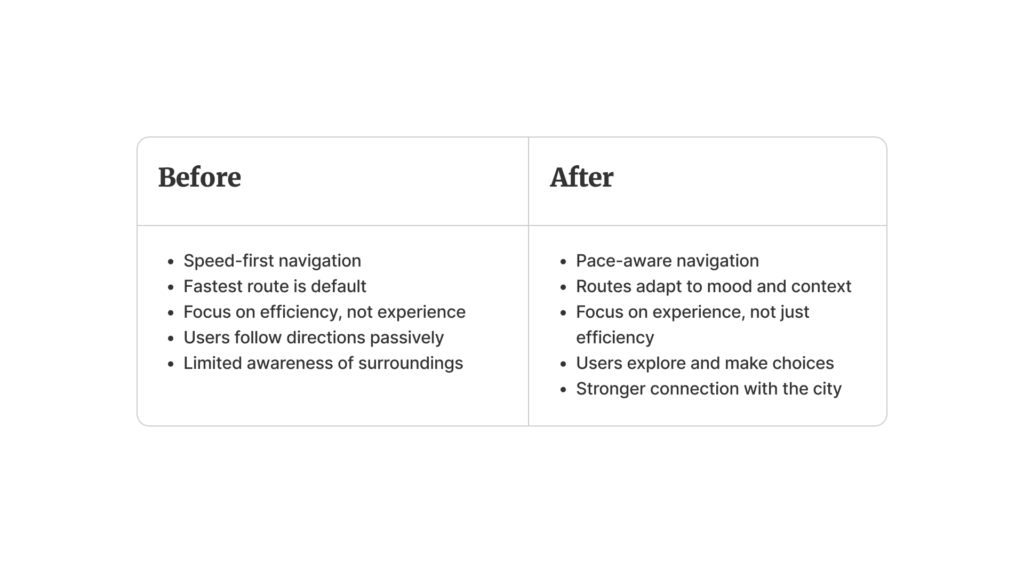
#2 Change & Impact – Design & Research II (Katerina)

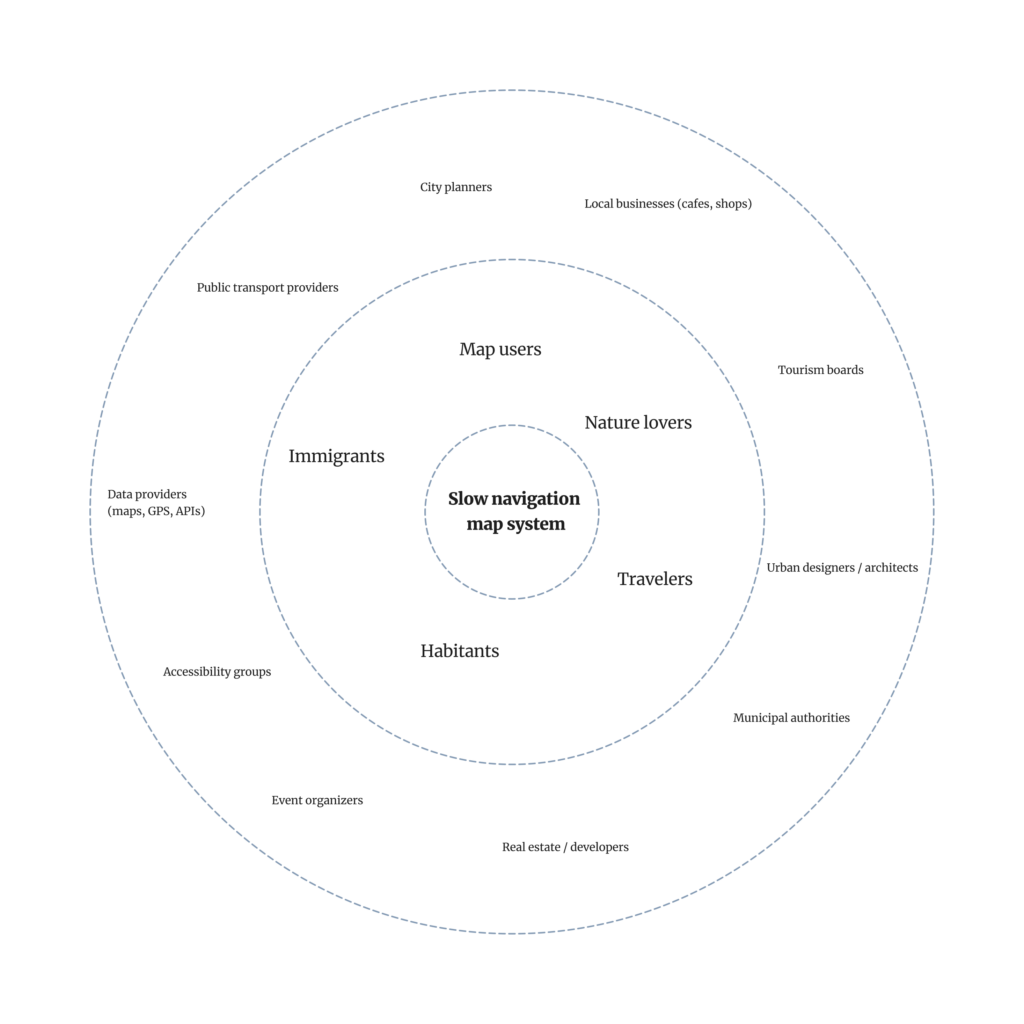
#1 System Map – Design & Research II (Katerina)

Grease Pencil

Da das übergeordnete Thema meiner Masterarbeit die Hybridanimation ist und ich untersuchen möchte, ob es einen optimalen Hybridisierungsgrad gibt, der besonders stark mit dem Publikum resoniert, beschäftige ich mich dieses Semester mit der Grease‑Pencil-Funktion in Blender.

Grundsätzlich ermöglicht der Grease Pencil, im 3D‑Raum oder direkt auf 3D‑Modellen zu zeichnen. Der Vorteil dabei ist, dass beim Modellieren nicht jedes Detail ausgearbeitet werden muss – Zeichnungen und Akzente können nachträglich mit dem Grease Pencil hinzugefügt werden.

Ursprünglich wurde das Werkzeug entwickelt, um kleine Notizen oder Skizzen direkt im Arbeitsbereich anzubringen. Anmerkungen können auf Objekten oder in der Szene gezeichnet und später wieder ausgeblendet werden. Es diente also zunächst als einfaches Annotationstool. Mittlerweile hat sich der Grease Pencil jedoch zu einem eigenständigen 2D‑Zeichen‑ und Animationssystem innerhalb Blenders entwickelt.

Nutzerinnen und Nutzer kĂśnnen auf verschiedene Weise mit ihm arbeiten:

– Zeichnen direkt im 3D‑Raum,

– das „Anheften“ von Strichen auf modellierte Objekte,

– oder das Platzieren von Zeichnungen an der Kamera.

Diese Möglichkeiten erlauben es, 2D‑ und 3D‑Elemente auf vielfältige Weise zu kombinieren.

In professionellen Produktionspipelines wird der Grease Pencil vor allem in drei Bereichen eingesetzt: Storyboarding, 2D‑Animation und hybride 2D/3D‑Projekte.

Beim Storyboarding ermöglicht er es, Szenenlayouts, Timing und Kamerabewegungen direkt innerhalb derselben Software zu entwickeln, in der später auch das finale 3D‑Rendering stattfindet.

In der reinen 2D‑Animation unterstützt der Grease Pencil klassische Frame‑by‑Frame-Animation mit Keyframes, Onion‑Skinning und Timing‑Kontrolle – und das in einer Umgebung, die gleichzeitig Zugriff auf 3D‑Kamera, Beleuchtung und Compositing bietet.

Mein Ziel fßr dieses Semester ist es, alle zentralen Funktionen des Werkzeugs kennenzulernen und herauszufinden, welche Ansätze fßr meine Arbeitsweise am besten geeignet sind. Am Ende mÜchte ich mithilfe des Grease Pencil einen Hintergrund gestalten und kleine, einfache Animationen hinzufßgen.

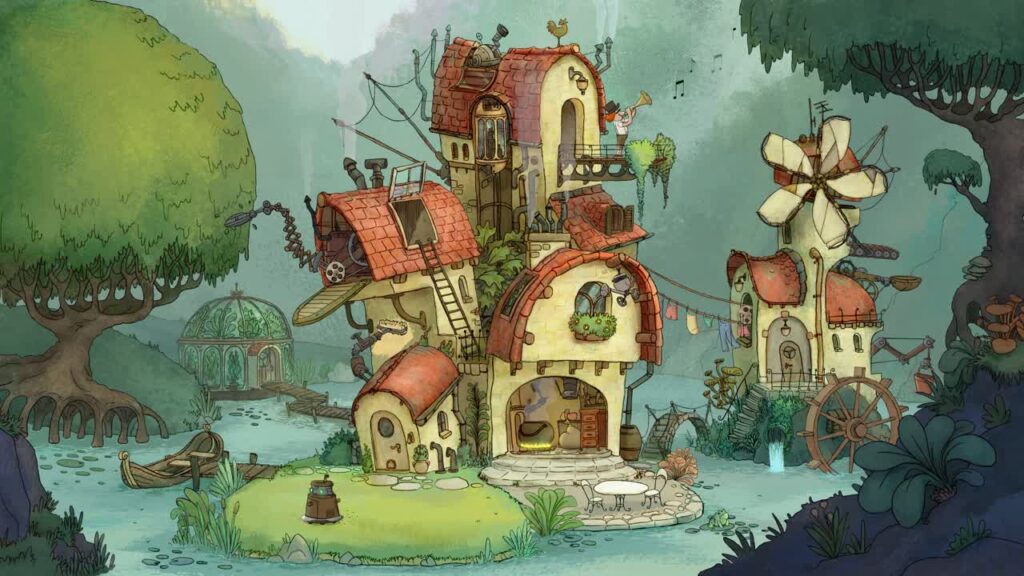
Die Inspiration fĂźr das Projekt stammt von folgendem Blenderprojekt

https://studio.blender.org/blog/house-of-chores-testing-grease-pencil-30/#house-of-chores

Science Communication and Creative Editing

Finding creative ways to communicate scientific topics to the non-scientific community

Introduction

This blogpost shall give an overview over the planned skill to be acquired throughout this semester and list the resources that should be used in order to acquired said skill.

As I plan on building my master’s thesis around the topic of science communication and on how to build bridges between design and science communication in order to better communicate scientific topics to a non-scientific audience, I want to take this semester to focus on creating short-form video content that tackles scientific topics. My goal is to make these videos more than „classic“ explainer videos and have them stand out by learning more about creative editing and VFX for that purpose. The final product should be a series of videos that have both, educational content and visually appealing creative edits.

I have been researching accounts and creators who focus on producing creatively edited videos and selected some editing styles I would like to try out. These styles I would then like to match with scientific topics, which I am also in the process of selecting. I figured –at least for the start – I will be focusing on choosing topics that have some sort of „visual potential“ (meaning that they concern subjects that can also be adapted visually) and can be broken down into short form content relatively easily. Even though that may restrict the exploration of more complex topics, it will help me to get started in this field and to get to know more about how much information is needed in short form content to still convey knowledge without losing too much critical information. 

First Content Ideas

Since I was part of last year’s JOANNEUM Arctic Expedition Team and have worked in the science communication and media division of the team, I would like to generally focus on Arctic topics. There are many fascinating topics surrounding the Arctic and Arctic research is more relevant than ever, since it is not only heavily affected by climate change, but the happenings in the Arctic also have a massive impact on, for example, Europe’s climate. 

To get started, I put together a list of possible areas to be explored and explained on the video projects. This list, of course, is subject to change and extension and will be updated accordingly.

Topic 1: Greenland

1.1 | The Map of Greenland 
Greenland: The Island That Looks Like a Continent / Why all maps are wrong

Sources for info material:

1.2 | The country itself 
Population, languages etc., the name „Greenland“

Topic 2: The Arctic 

2.1 | Arctic vs. Antarctica  
-> Arctic vs. Antarctica (location on the planet, polar bears vs. penguins) 

2.2 | The Arctic 
-> the name origin
-> which areas/countries are part of the Arctic 

2.3 | Arctic Phenomena
-> Weather phenomena such as the Aurora Borealis and the Midnight sun

Topic 3: Glaciers

3.1 | What’s a glacier?
-> What makes a glacier a glacier?
-> how glaciers work

3.2 | Climate change and glaciers 
-> Melting glaciers
-> Ice shield, Glacier tongue

Next Steps

In the following days, I would like to further explore the potential of the listed topics and come up with ways to (visually) communicate and them. To get started, I have selected the topic around explaining the different map projections of Greenland, because it is not only a topic that can be well-explained in a short amount of time – it is also fun to play around with visually.

Background: Since it’s not possible to convert a 3D-sphere (such as the earth) into a flat plane, all maps are subject to distortion. Greenland is a pretty fun example of how map distortion completely changes a countries’ proportions – since northern and southern points of the globe are most affected by the falsification.

The next task is to come up with a storyline and subsequently a storyboard for this topic. Simultaneously, I intend to look into the creators more in-depth and look for explainer videos and tutorials to learn more about their approach to creative editing. The next blogpost will therefore be dedicated more to the editors and frameworks needed for creating short form (VFX-heavy) content and what topics surrounding the editing process itself I will need to look into.