User Interfaces in Video Games 7/10

User Interfaces in Video GamesThe quest for genre-appropriate and usable game UI

So far I’ve introduced some history, UI elements, their visual representations and common game genres. Now I’d like to take a look at the “Should games sacrifice functionality for style and vice versa? Do accessibility options affect the art being made?” question that popped up in my introductory blog post.

One of the most difficult parts of game UI design is the “battle” between aesthetics and functionality. In my gaming journey so far, I’ve seen both sides of the coin: games that are beautiful but hard to navigate, and games that are perfectly functional but look like sterile, uninspired and out of place.

Form follows function” is a famous phrase coined by Louis Sullivan which has been applied to many different types of design that deals with this topic [1]. This means that the way something looks is influenced by what it’s supposed to do. The function of game UI is to communicate states, so it should adapt itself to what users actually need to function within the game. The common questions are “Where am I?”, “How much health do I have?” and “Am I winning?”. These are answered with mini-maps, health bars and scores, all of which have evolved through necessity to communicate status.

So can style actually improve function? Why do I enjoy stylish UI in games if minimalist UI also does the job? Thinking about this led me to the Aesthetic-Usability Effect, which is defined in the book Universal Principles of Design. The Aesthetic-Usability Effect is described as “a phenomenon in which people perceive more aesthetic designs as easier to use than less-aesthetic designs – whether they are or not.” [2] This means that if a player loves the look of a menu, they’re more inclined to keep using it, and thus learn how to use it.

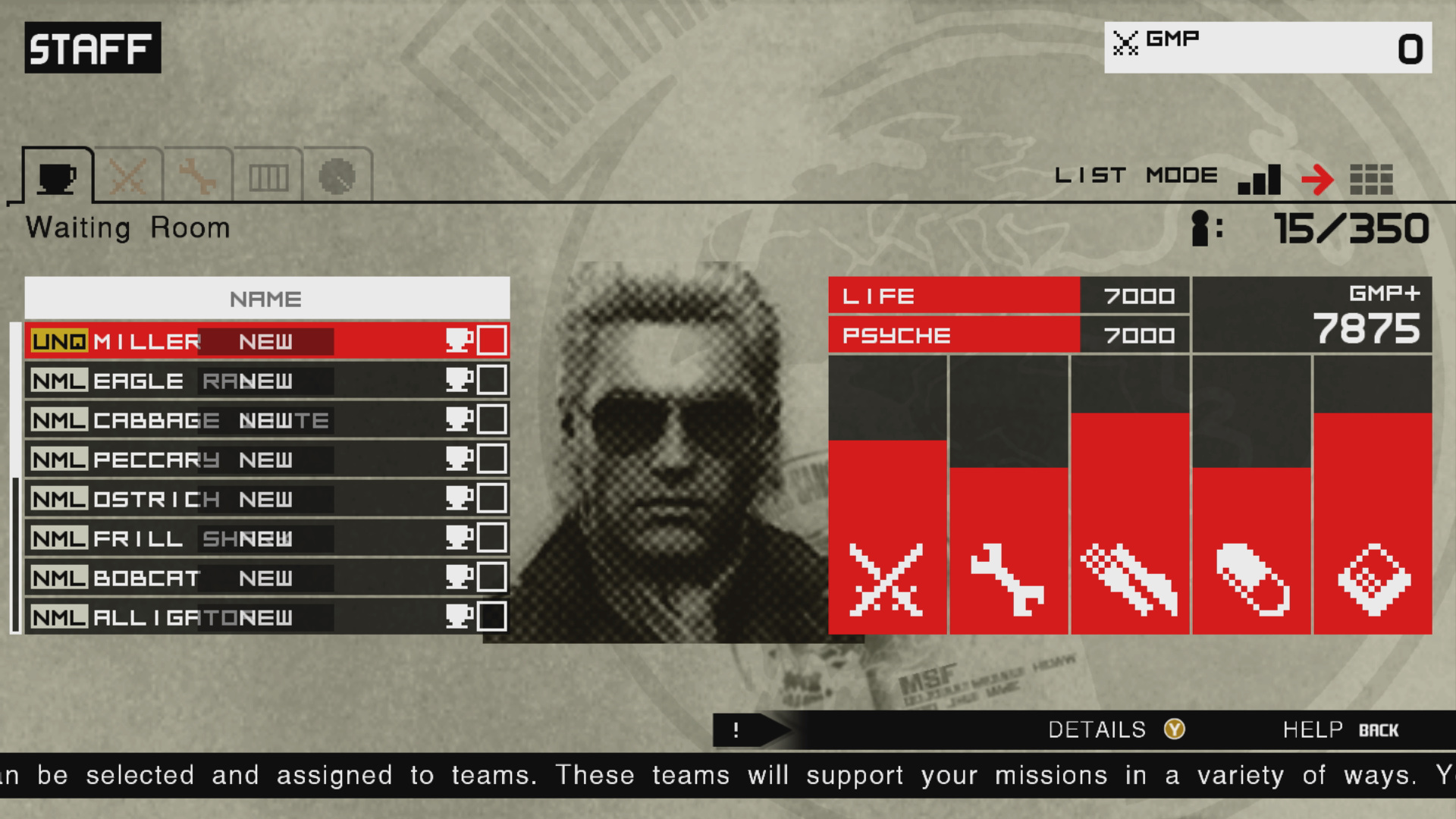
A personal example I’d like to showcase is the difference between the Metal Gear Solid: Peace Walker (2011) and Metal Gear Solid V (2015) staff management menus. In Metal Gear Solid: Peace Walker I learned to navigate the menu thanks to the more simplified information and “military file” aesthetic which fit the game world, being set in the 70s.

Figure 1:
Metal Gear Solid: Peace Walker HD
Source: [3]
Figure 2: Metal Gear Solid V
Source: [4]

Metal Gear Solid V, which was released 4 years later, features a virtually identical menu, but goes for an angled look which is supposed to be a hologram from the device the character is holding in his hand. This takes away real estate for the sake of diegetic immersion. This, however, clutters the UI with more information displayed. I would have been overwhelmed with this menu had I not already “trained” myself with the previous game. I knew which information to ignore and what the actual function of the menu is. The aesthetic is also lost within this blue, minimalist, hologram look which clashes with the fact the game is set in the 80s.

This leads me to believe that style shouldn’t be sacrificed for function or vice versa.

A visual style is first determined for the game experience overall. Then, the information is made to come across in the most immediate and understandable way. Finally, both form a framework for the user interface aesthetics. The visuals shouldn’t drive the function, but they can certainly bend and influence it. – Stieg Hedlund [5]

In my next blog post, I want to dive deeper into the usability aspect of this debate by exploring the topic of Accessibility.

  • [1] L. H. Sullivan, The Tall Office Building Artistically Considered. Philadelphia, PA, USA: J. B. Lippincott, 1896.
  • [2] W. Lidwell, K. Holden, and J. Butler, Universal Principles of Design: A Cross-Disciplinary Reference. Gloucester, MA, USA: Rockport Publishers, 2003.
  • [3] Game UI Database, “Metal Gear Solid: Peace Walker HD,” Game UI Database. Accessed: Feb. 06, 2026. [Online.] Available: https://www.gameuidatabase.com/gameData.php?id=530
  • [4] Game UI Database, “Metal Gear Solid V: The Phantom Pain,” Game UI Database. Accessed: Feb. 06, 2026. [Online.] Available: https://www.gameuidatabase.com/gameData.php?id=98
  • [5] K. Saunders and J. Novak, Game Development Essentials: Game Interface Design. Clifton Park, NY, USA: Thomson Delmar Learning, 2007.

User Interfaces in Video Games 6/10

User Interfaces in Video GamesThe quest for genre-appropriate and usable game UI

In my last post I introduced the concept of diegetic, non-diegetic, spatial and meta interfaces. You may have noticed that some of them were mostly tied to specific genres, and since my thesis would like to explore how interfaces can be genre-appropriate, I thought it would be appropriate to introduce these genres.

The following graph [1] shows the most played game genres in the 2nd quarter of 2025. There’s a wide range of genres from shooters to puzzles and what I find interesting is that the most successful genres would have the most people, which means that the UI probably also caters to the masses.

Graph 1: Share of video gamers worldwide who have played games in select gaming genres in the past 12 months as of 2nd quarter 2025
Source: [1]

Now let’s take a look at some of the most important genres as well as a few visual examples of them to get a good idea of the UI elements and styles.

Figure 1:
The Legend of Zelda: Breath of the Wild
Source: [3]
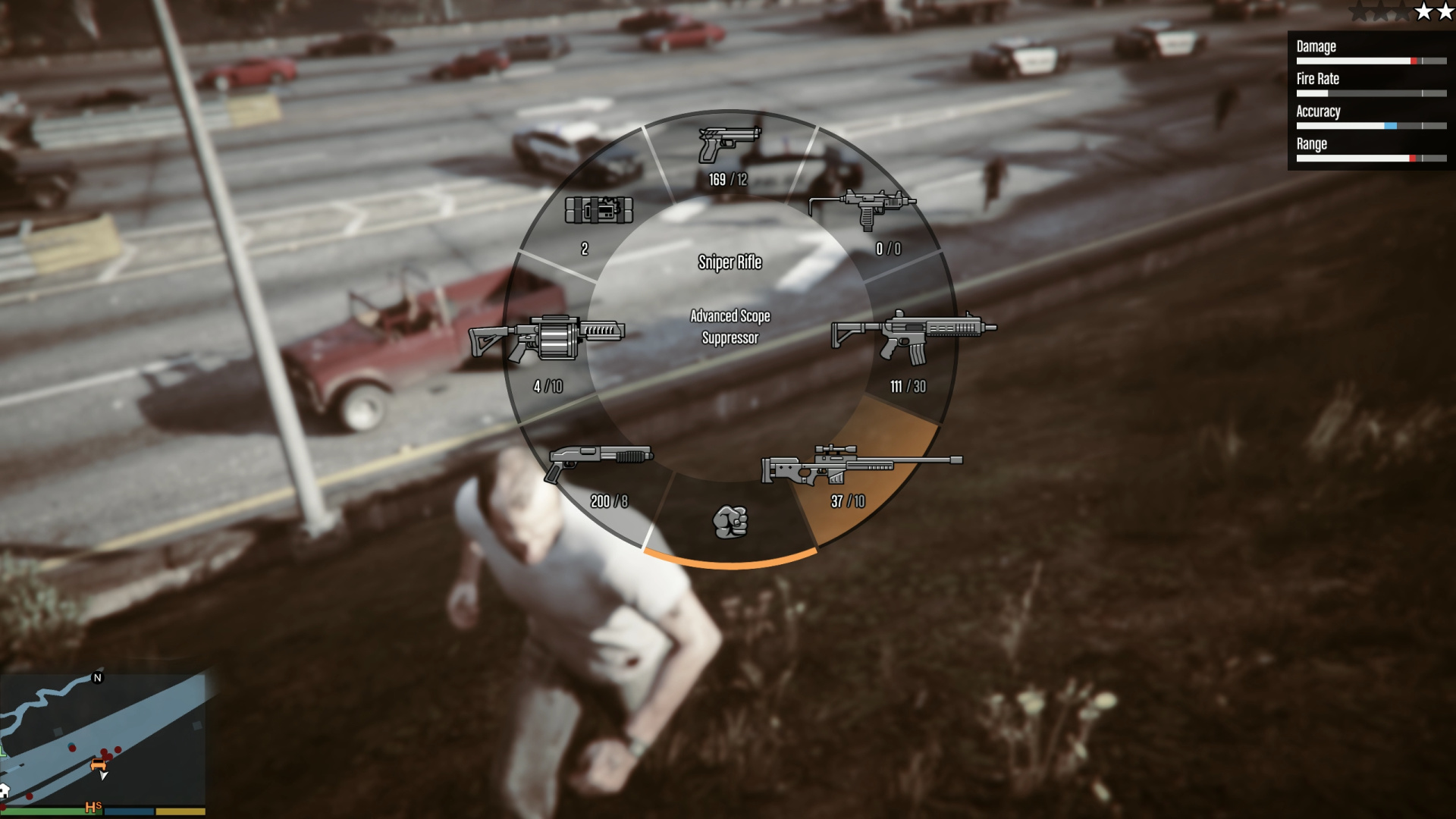
Figure 2: Grand Theft Auto V
Source: [4]

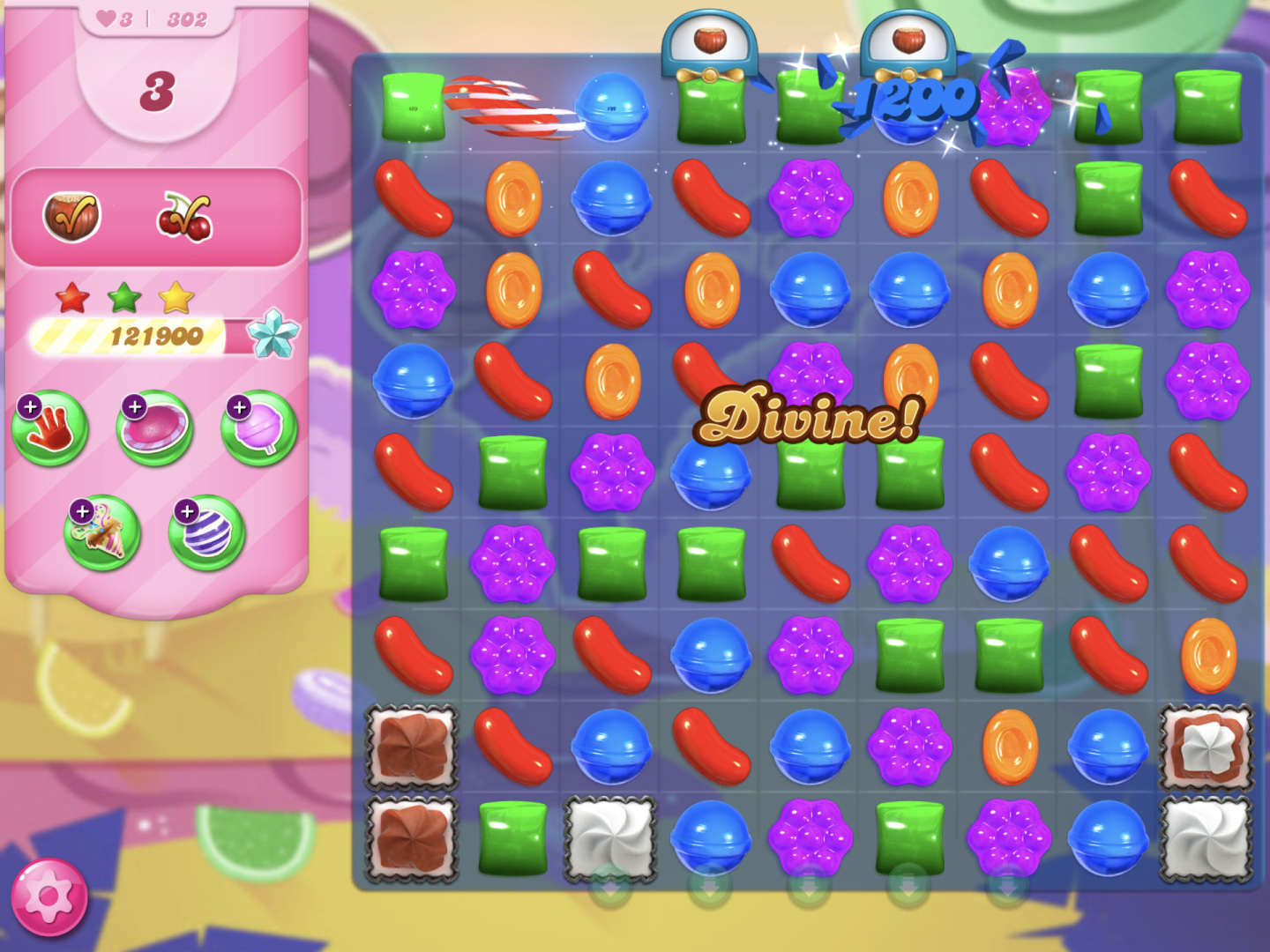
Puzzle – Another genre that relies on hand-eye coordination, albeit very different in style. Puzzle games rely on simple logic and have thus seen a big audience within the casual mobile games scene. Brighter colours help with differentiation for quick mental grouping of objects.

Figure 3: Candy Crush Saga
Source: [5]
Figure 4: Tetris Ultimate
Source: [6]

Racing – Racing games rely on mini-maps to mirror navigational devices inside the car. Another important UI element within the HUD is the speed, position and lap indicators. Racing games increasingly use minimal and generic design, especially in other screens such as customisation screens.

Figure 5: Forza Horizon 5
Source: [7]
Figure 6: Need for Speed Heat
Source: [8]

RPG (Role-Playing Game) – Role-playing games came from table-top games, where statuses, inventories and treasure finding are important. They’ve come a long way from the classical parchment style of fantasy games to more daring and modern UI with JRPGs. Inventories and managing them play a big role, which is why designing them in an intuitive way can make or break the immersion.

Figure 7: Baldur’s Gate II
Source: [9]
Figure 8: Persona 5
Source: [10]
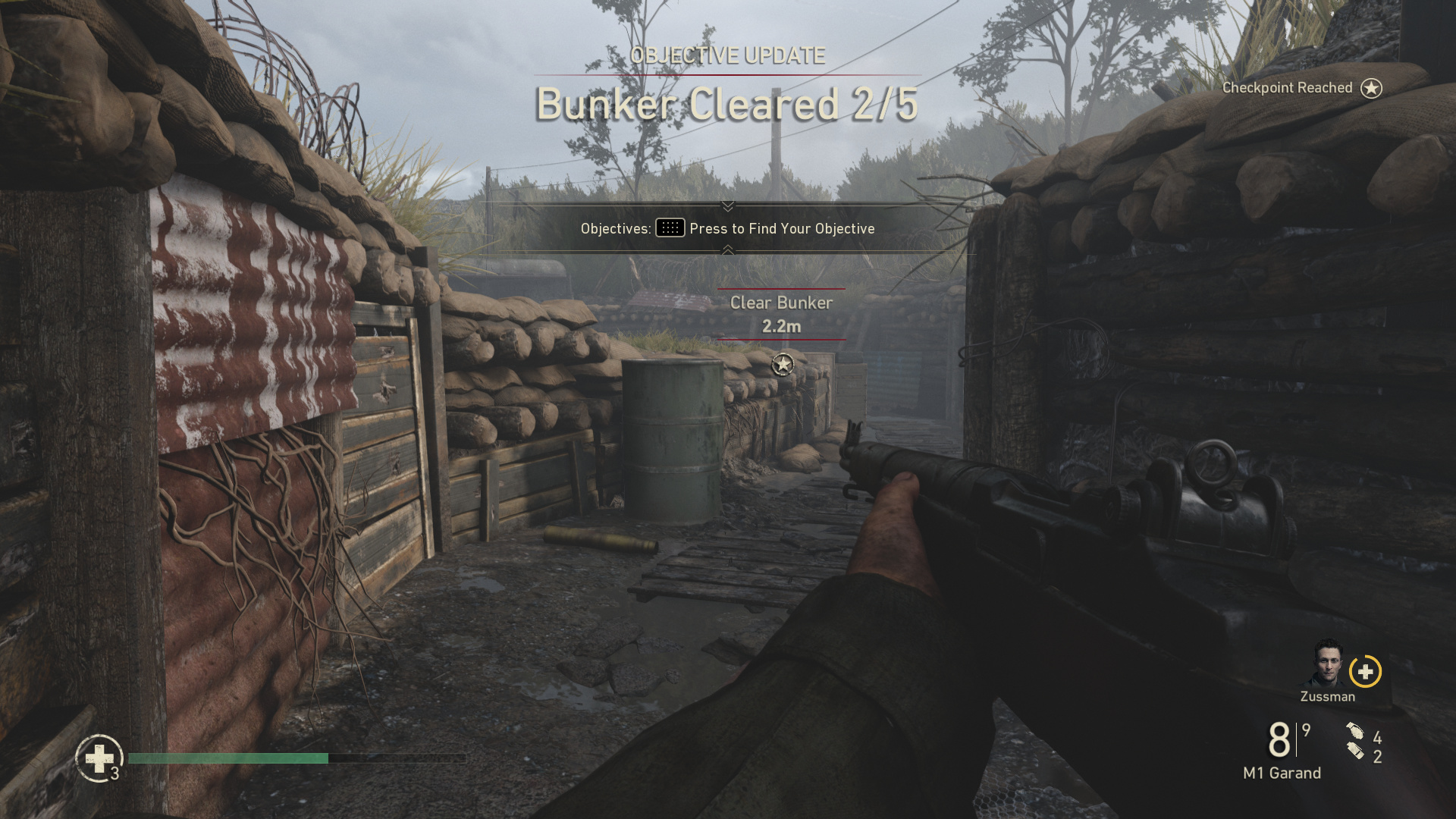
Figure 9: Call of Duty: WWII
Source: [11]
Figure 10: Fortnite
Source: [12]
Figure 11: Microsoft Flight Simulator 2024
Source: [13]
Figure 12: Sims 4
Source: [14]
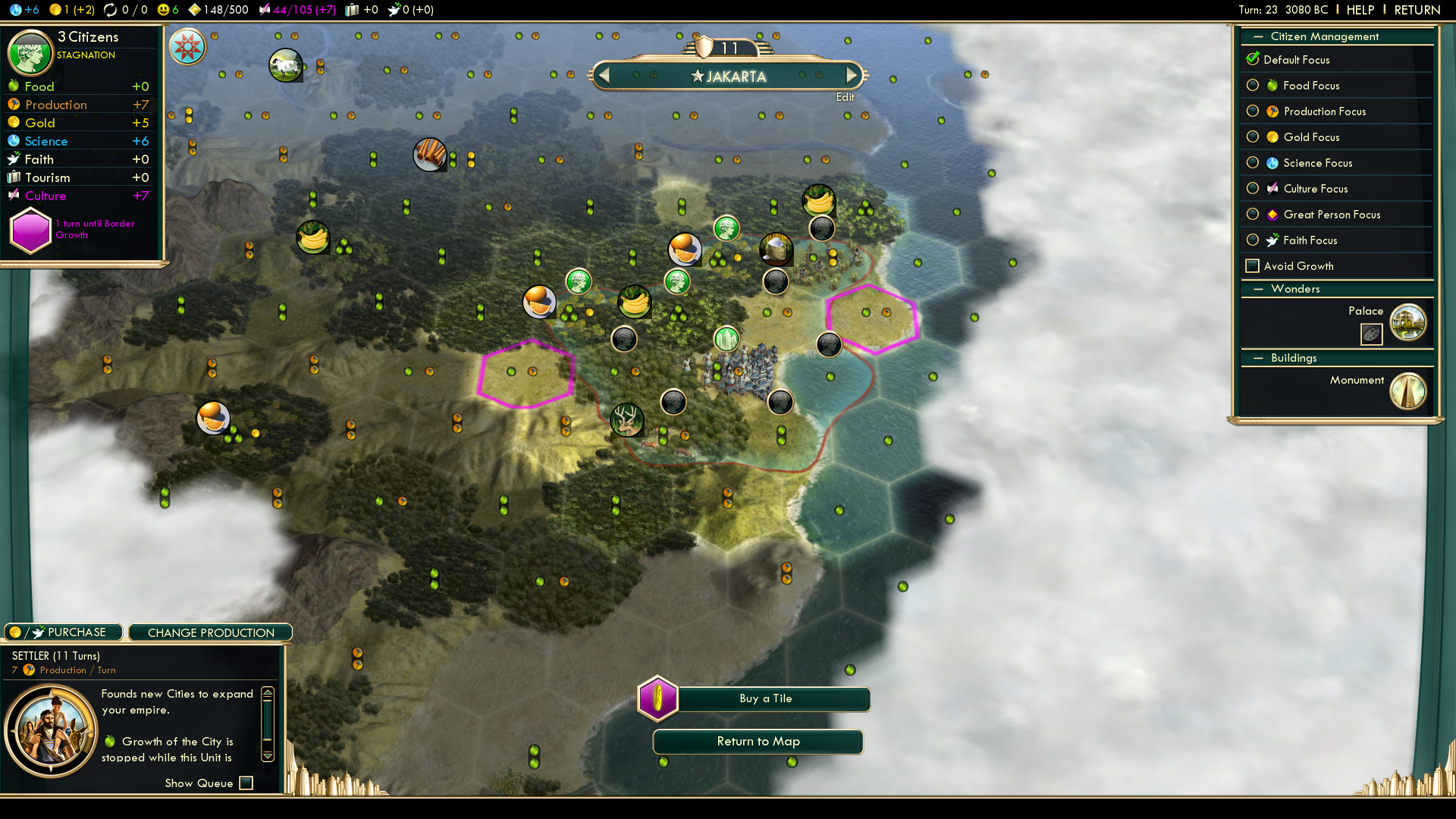
Figure 13: Civilization V
Source: [15]
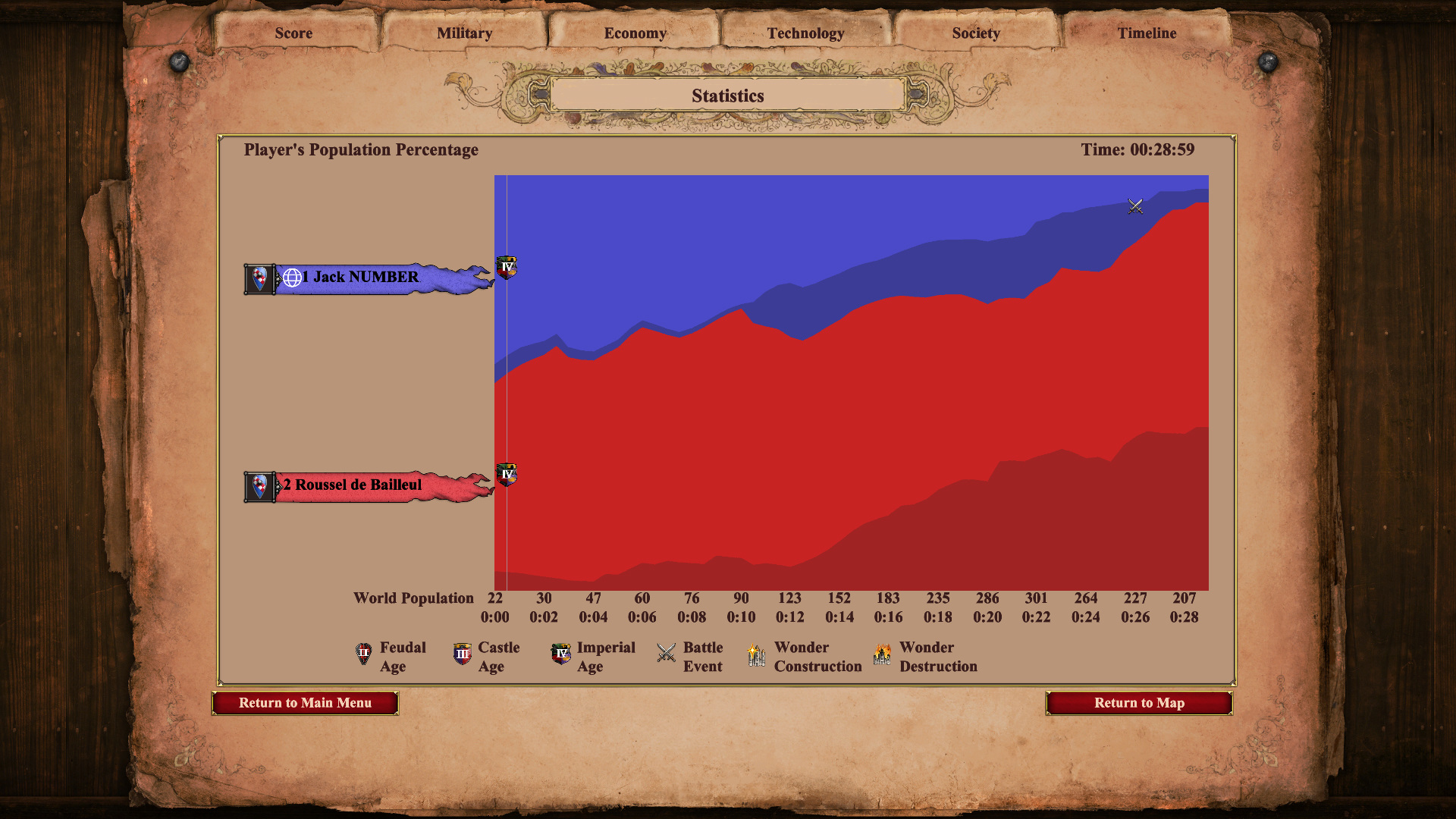
Figure 14: Age of Empires II: Definitive Edition
Source: [16]

User Interfaces in Video Games 5/10

User Interfaces in Video GamesThe quest for genre-appropriate and usable game UI

Now that we have a basic understanding of the different types of HUD and UI elements within video games, I’d like to share some interesting considerations about the the functions and different types of game UI.

During my research the most interesting thing I came across is the idea of diegetic user interfaces. Diegetic is defined as “existing or occurring within the world of a narrative rather than as something external to that world [1]“. This usually refers to cinema with the example of in-universe music, but in the video game context user interfaces can also take on this role. Some UIs feel like they’re slapped on the screen without consideration of the world they’re in, while others barely feel like utilities for the player with how immersive they are.

This four-part framework helps with differentiation and categorisation by asking two questions:

  • Is the UI part of the game world?
  • Is the UI part of the story?
Figure 1: The Four Types of Visual Representations of Interfaces
Source: [2]
Figure 4: Baldur’s Gate 3 UI
Source: [4]
Figure 4: Sims 4 UI
Source: [5]
Figure 4: Killzone 2 UI
Source: [6]
Figure 4: Dead Space UI
Source: [7]

User Interfaces in Video Games 4/10

User Interfaces in Video GamesThe quest for genre-appropriate and usable game UI

After getting a bit more familiar with how the need for UI in games emerged through a bit of history, I want to get more theory focused now with some definitions. I’ve already mentioned HUDs in my last post so let’s get it all on paper, as well as clear up any abbreviations that may keep popping up.

Figure 1: Battlefield HUD
Source: [5]

In this section I would like to make a distinction between HUD UI elements and other game screens, since all of this is part of the UI, the difference being that HUDs are active during gameplay. As games have evolved, these elements have became staples of the user interfaces within them.

The following are some visual examples of individual HUD elements as well as game screens (on the example of the 1999 game Metal Gear Solid), providing a short overview of the elements.

  • Health bar – shows the current life the player has remaining, often abbreviated as HP (Hit Points), which came from the tabletop role-playing game Dungeons & Dragons [6].
    • health
  • Score – shows the current or final score accumulated.
  • Ammunition gauge – shows the number of bullets/projectiles available, important for shooters.
  • Inventory – shows items possessed/equipped, important for role-playing games.
  • Map/Radar – assists player with navigation by providing an on-screen means of navigation with “you are here” indicators.
  • Context-Sensitive Prompt – text or icon that appears when the player is near an object that can be interacted with [7].

Figure 2: Elements of a HUD
Source: Own Production, referenced from [7]

  • Title Screen/Start Screen
  • Pause Screen
  • Options/Settings
  • Save/Load Game
  • Controls
  • Game Over Screen
  • Loading Screen
  • Legal/Copyright
  • Credits
Figure 3: MGS Title Screen
Source: [8]
Figure 4: MGS Pause Screen
Source: [8]
Figure 5: MGS Options
Source: [8]
Figure 6: MGS Load Screen
Source: [8]
Figure 7: MGS Controls
Source: [8]
Figure 8: MGS Game Over
Source: [8]

User Interfaces in Video Games 3/10

User Interfaces in Video GamesThe quest for genre-appropriate and usable game UI

Last time I answered the question of what the first video games were, namely Tennis for Two and Spacewar!. Today, I’ll be taking a step further and covering the universally known earliest video game Pong, as well as taking a quick look at the progression of games and their interfaces further.

Yes! Games finally became commercially successful and available to the general public outside of science fair and university contexts thanks to the shift away from giant computers that weighted dozens of kilos and cost thousands.

Figure 1: Pong on the TV
Source: [1]

Pong was developed by Atari which was a company formed by Nolan Bushnell and Ted Dabney, and programmed by Al Alcorn. It used dials for vertical movement of paddles where players competed to hit the ball back and forth [2]. This is where we notice the first truly UI element of a game, which is the score counter on the top of the screen.

Figure 1: Space Invaders Cabinet
Source: [3]

Released 20 years after Tennis For Two, Space Invaders was developed by Tomohiro Nishikado and it marks the rise in popularity of arcade games, with two buttons for moving left and right and one for firing projectiles [4]. In this new age of arcades, one of the very first innovations in game interface design, the high score and the high score screen, were born [5]. The high score was a different motivation compared to the other games mentioned so far which were based on competition between two players. Space Invaders and many popular arcade machines featured single player experiences, where the high score screen would incentivize not only beating your friends but also beating your own score. Arcades were the place where HUDs were born, with more and more permanent UI elements aiding players emerging.

As much as I would love to talk about the entire history and progression, and go all the way from Pac-Man to modern games, I’ll keep it to these two blog posts. They will serve as a sort of starting point for when I dive deeper into the history for my actual thesis.

User Interfaces in Video Games 2/10

User Interfaces in Video GamesThe quest for genre-appropriate and usable game UI

To start off with my research I decided to research the history of video games and, by extension, their user interfaces. I’m interested in how people interacted with early interfaces with technical limitations.

My first thought was Pong, a game that many people consider the first game, but upon research I found out that this wasn’t the case and that there’s no clear consensus.

Figure 1: Tennis for Two
Source: [1]
Figure 2: Spacewar!
Source: [2]

Released 14 years before Pong, Tennis for Two was developed by William Higinbotham and it was made using an analogue computer with a oscilloscope screen and two separate controllers [3]. I found a recreation of it you can play in your browser here, which shows well how limited the interaction elements were, namely a pair of dials/control knobs and buttons.

This video also talks about Tennis for Two as the first video game and shows the control scheme

Tennis for Two shows that the way people interact with video games has always involved input devices. These input devices provide the point of interaction between the human and machine. However, some sources argue that it isn’t the first video game because it wasn’t displayed on a video screen, which is a technicality [3]. Other sources argue that “While this appears to be the first interactive game, it is an isolated instance” [4], claiming that the creator of the upcoming game I will mention didn’t know of it’s existence.

Released a few years after Tennis for Two, Spacewar! was developed by Steve Russel and it was made using a PDP-1 computer [4]. This made it the first computer game, originally using toggle switches built into the computer, but eventually getting dedicated remote controllers developed. Spacewar! is widely considered the first video game, showing a very similar interaction principle albeit with more complex controls.

At 13:45 you can see Spacewar! being played

While Tennis for Two had one adjustable knob and one button for aiming and throwing, Spacewar! had much more complex controls with the objective was for each player to maneuver a spaceship and score by firing missiles at their opponent [5].

Whats interesting in observing these interfaces is that they have no traditional visual UI elements, such as high scores or menu screens. The game itself doesn’t guide the player intrinsically, but the aspect of two identical controllers suggests that two players can somehow interact with the game.

User Interfaces in Video Games

User Interfaces in Video GamesThe quest for genre-appropriate and usable game UI

This thesis would explore the relationship between video games, user interfaces and users, in the context of genres and usability. It would place a focus on the history, genres and UI elements and their functions in games, as well as examine accessibility options and overall usability. Some games have interfaces with very small text, which is a result of no standardised guidelines. Some games also have user interfaces that are completely divorced from the style of the game, making them look jarring and potentially taking away from the overall user experience.

At the beginning, UI wasn’t an established field in the game development industry, but has since evolved to slowly include not only UI but also UX [1]. I want to explore how UX/UI manifests itself in this medium while taking a look at the industry, past and present.

  • How can user interfaces in video games harmonise with the aesthetics of the game and to provide a seamless experience? How do they become one with the game?
  • How do genre conventions influence user interface design choices in video games?
  • Should games sacrifice functionality for style and vice versa? Do accessibility options affect the art being made?
Figure 1: MGS1 Screenshot
Source: [2]
Figure 2: Persona 3 Portable Screenshot
Source: [3]

The relevance of this topic comes down to the different ways UX/UI principles can be reinforced within games, a huge medium that often gets ignored in academic contexts for being too playful.

Human-centered design bases itself on, among other things, existing patterns . These patterns can be hard to grasp in more complex interfaces such as games, where standardisation isn’t reinforced, or expected, in the same way it is with websites. Regulations don’t exist for games like they do for websites, because websites are an essential part of everyday life, but games aren’t. I still think that they are an important everyday medium that should be accessible to anyone and not shut anyone out.

It’s also relevant to examine the aesthetics, personality and style of these interfaces which is the more graphical angle to approaching game user interfaces. Knowing how to ride the line can be difficult. So, should games sacrifice functionality for style and vice versa?

Interaction design could help to deal with these issues by using existing knowledge, guidelines and research about usable interfaces and cross examining them with game interfaces. User experience design would help with making sure the interfaces are usable and clear, while user interface (and general graphic design) would help with making them aesthetic and cohesive.

The biggest challenge I have right now is to narrow down the scope of the project and see a clear path. Theres many things I want to touch upon, and I’m not sure yet how they will come together. Initially, I wanted to also examine the “responsive” angle of video game user interfaces, by exploring desktop, mobile and console games. While I’m still interested in this and the differences in developing interfaces for such varying screen and control schemes, I’m not sure where the focus would lie in the end.

Another challenge would be how to produce qualitative and quantitative data from my analysis efforts, and if I will actually find discrepancies and scientific value. The biggest challenge I will have in the future is deciding on an outcome/workpiece, as I’m not sure how to target this overall research into a design outcome.

In my next steps I would like to:

  • start actual research and try to build my literature collection on the topic
  • gain proper knowledge on the history of games, UI elements and their functions as well as accessibility issues
  • familiarise myself with the current state and find best practice examples
  • maybe even play games and note down experiences

My personal motivation lies in my immense enjoyment of games in the past year. They have improved my quality of life ten-fold, became a part of my routine and, for that reason, I would love to make games a good experience for everyone. I’ve been noticing that games have accessibility options such as subtitles available but then the subtitles are incredibly hard to read due to their size, font choices or contrast. This always bothered me and eventually I started thinking about how most people even play games when the interfaces don’t help but rather distract. I would love to combine my passion for usable user interfaces with games, which are full of interface elements.

Game UI Database – initially, building a database was also part of my probable outcome, but since I have come across this giant database of screenshots of various menus and game states for thousands of games