If the material and lighting differences were things I could work through by trial and error, the next two problems were harder to solve simply because there was so little help available for them – and both cost me disproportionate amounts of time relative to how small the underlying issues actually were. Cycles has the benefit of years of accumulated community knowledge behind it; Octane’s Blender integration, being a much smaller and more niche corner of an already niche piece of software, doesn’t have that same depth of collective troubleshooting to draw on.
The Documentation Problem
For a renderer as respected as Octane, the documentation specific to its Blender integration is thin. As far as I can tell, there’s essentially one YouTube channel covering Octane-for-Blender specifically, and that’s also where I first learned the render engine was free and how to install it in the first place. The basic setup I could piece together myself from that channel and a handful of forum posts, but anything beyond that – actual troubleshooting, edge cases, workflow questions that weren’t already covered in an existing tutorial – mostly went unanswered wherever I looked. More often than not, I ended up solving problems myself through trial and error rather than finding an existing answer, which is a very different experience from working in Cycles, where nearly any problem you hit has already been asked and answered a dozen times over on some forum or Stack Exchange thread.
The clearest example of this was trying to render a single output image. Octane will happily give you a multilayer EXR file containing all five of its default outputs bundled into one file, which technically solves the “too many files” problem from earlier, but not the problem I actually had – I wanted one plain PNG, not a multilayer file I’d still have to unpack in another program before I could actually use it. I searched through what documentation exists and asked around, but never found a clean, direct answer for this, and eventually just accepted the workaround as good enough for the time being rather than losing more hours chasing a proper fix. It’s a small annoyance in isolation, but it’s representative of the broader experience of working with a tool that clearly works well once configured correctly, but offers very little help getting there.
The Nightmare that was Motion Blur
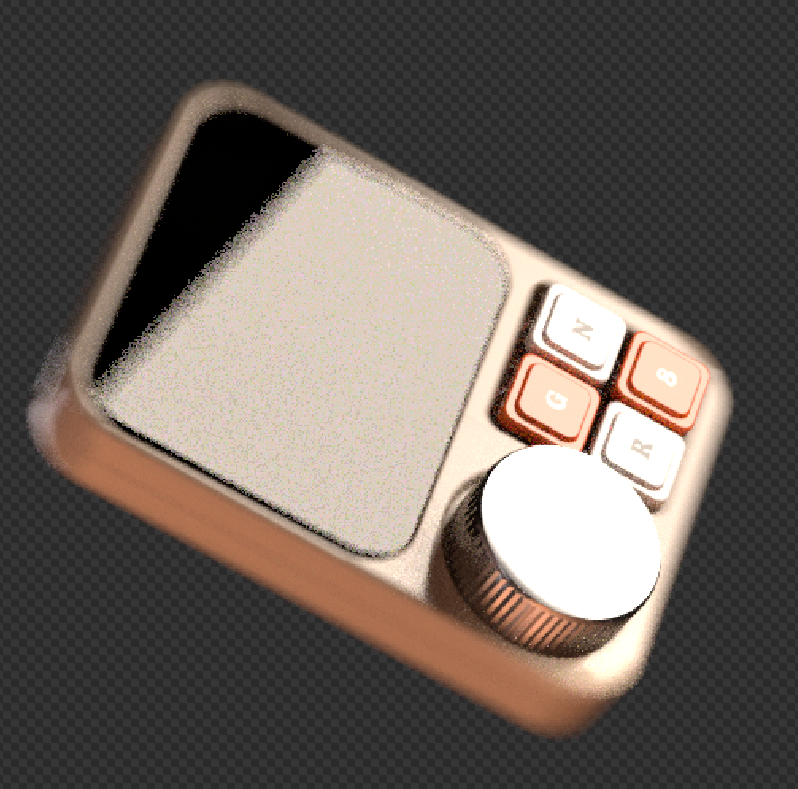
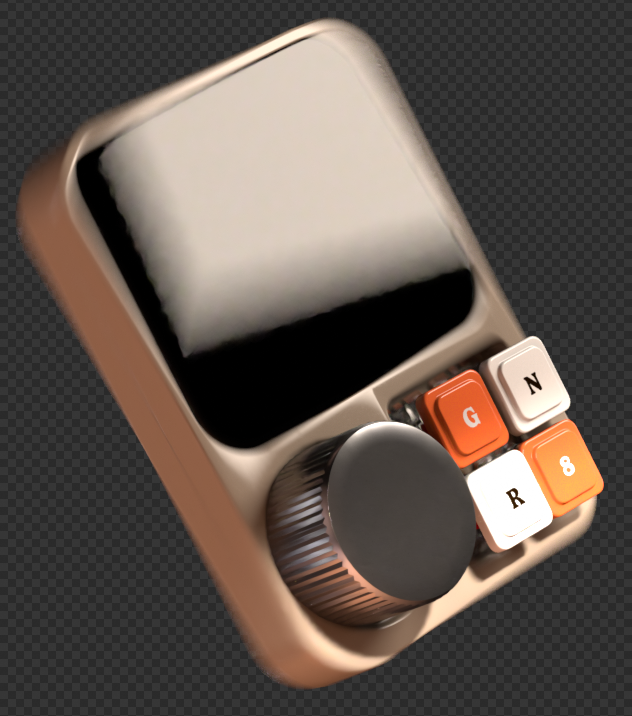
Motion blur in Cycles or Eevee is close to a non-event: you flip on a toggle, set the shutter speed, and you’re done. In Octane, enabling the equivalent global toggle did nothing on its own – the render came out exactly as sharp as if I’d never touched the setting at all. After some searching, I found that motion blur in Octane has to be enabled individually, per object, for every single item in the scene – there’s no scene-wide switch that actually works the way you’d expect it to from years of the Cycles equivalent.
Even after going through and enabling it object by object, painstakingly clicking through every piece of the device one at a time, the results in my final render were still inconsistent. The device’s case and screen picked up motion blur correctly, softening nicely in line with the animation’s movement, but the buttons and the dial stayed noticeably crisp against the rest of the object, which had visibly blurred. I never fully resolved why those specific parts didn’t pick up the same blur as the rest of the mesh – I checked that the setting was enabled on those objects too, more than once – and it’s the one issue from this whole process I’d still call genuinely unsolved rather than merely inconvenient.
Cycles vs. Octane: What I Actually Learned
After everything – the install process, the crashes, the rebuilt lights, the motion blur that never fully cooperated – the actual point of this whole exercise was always to compare the two engines directly, using the same project as the test case. So how does that comparison actually shake out?
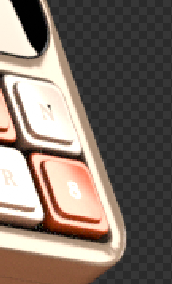
Looking back at the whole process, a few things stand out beyond the individual technical hiccups. The biggest one is that Octane is noticeably less forgiving of imperfect geometry than Cycles. My render came out with a handful of visible shading errors that I’m fairly confident trace back to mesh issues I never had to think about or fix in the original Cycles version – small overlapping faces, slightly non-manifold sections, the kind of thing you accumulate over a long modeling process and never go back to clean up because nothing ever visibly complained about it. Cycles seems to quietly absorb those kinds of geometry problems in a way that Octane puts right on display, which reframed a chunk of what I assumed were rendering issues into modeling issues I’d simply never had to confront before.
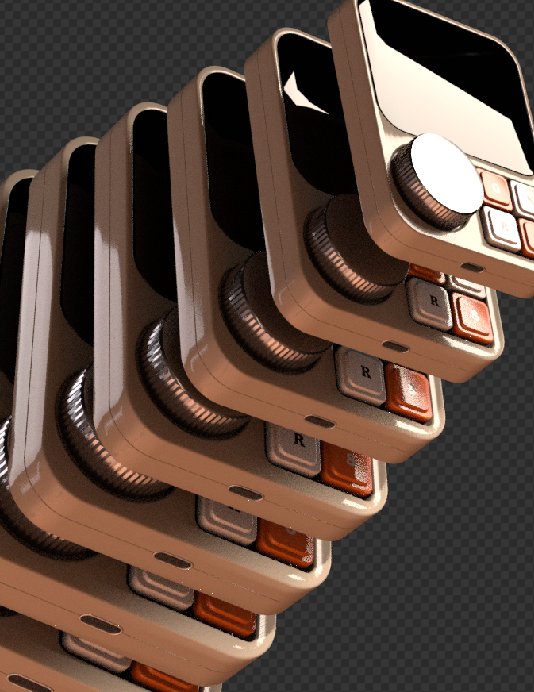
That said, I’d call the whole experiment a genuinely fun one, and I plan on continuing to learn Octane rather than treating this as a one-off experiment I ran once and set aside. For now, though, I still think my Cycles version of the render looks better overall – not because Octane is worse, but because I simply have years more experience pushing Blender’s native node tree in specific, sometimes unconventional directions to get an exact look I’m after. There were effects in the original render, like a pixelated screen look on the device’s display, that I wasn’t able to reproduce in Octane in the time I had, mostly because I haven’t yet built up the same instinct for which combination of nodes gets me there.
The two renders don’t look identical, and I don’t think they were ever going to. The Octane version came out noticeably brighter overall, which I don’t necessarily mind – it’s a different read on the same object rather than a strictly worse one – and it clearly plays to Octane’s actual strengths: realistic light behavior, convincing reflections and refractions, the caustics that got me interested in the first place. But getting the most out of that strength seems to demand a higher-quality mesh than what I was feeding it here, given how much more visible those small geometry issues became. Which, if anything, just gives me a clear next step: build something specifically for Octane next time, with clean geometry from the start, rather than testing it against a model that was designed with Cycles’ more forgiving rendering in mind. None of this changes my overall verdict, though: this was worth doing. Even setting aside which render came out looking better, going through the entire process forced me to actually understand what Cycles has been doing for me automatically all these years – the things I never had to think about precisely because Cycles handles them quietly in the background. Octane made all of that visible by simply not doing it the same way, which is its own kind of education, separate from anything about the final image. That’s reason enough to keep going with it.
