Getting to teach a Photoshop course at FH JOANNEUM was one of those opportunities that sounds simple until you actually sit down to plan it. The brief was straightforward on paper: cover the basics of Photoshop for other students. The hard part was figuring out what “basics” even means when the software has a thousand entry points depending on who’s using it.
My first instinct was to think about the question from my own workflow outward — what do I actually use Photoshop for, most of the time? The honest answer was 3D-adjacent work: compositing renders, touching up textures, prepping mockups. But that’s not a useful starting point for a room full of students who don’t do 3D work, and building a course around my own niche would have meant teaching people skills they’d never actually reach for. So instead of teaching my own use case, I stripped it back to the tools that show up in almost every Photoshop session regardless of discipline: selections, masks, and the basic adjustment filters like hue/saturation and brightness/contrast. If a student walks away only knowing those three things, they can already do real work. That became the baseline I measured every other decision on.
Structuring the Sessions
The course was split into three sessions, two hours each. Before touching any Photoshop content, I built a short Canva presentation to open every session with — covering terms that get thrown around constantly but rarely get explained: DPI vs. PPI, RGB vs. CMYK, and the common file formats people are expected to already know. I’d rather spend ten minutes on vocabulary at the start than have someone quietly confused for the next two hours.
I also made a deliberate call early on about AI tools. It would have been easy to lean on Photoshop’s generative features and call it a day, but that felt like it would teach a shortcut without teaching the underlying skill. So the focus stayed on the actual mechanics of Photoshop — the idea being that if you understand selections and masking properly, the AI tools become an accelerator rather than a crutch. Running alongside that was a second thread I wanted every session to reinforce: non-destructive workflow. Adjustment layers over direct edits, smart objects over flattening. Habits that save you later even if they feel like extra steps in the moment.
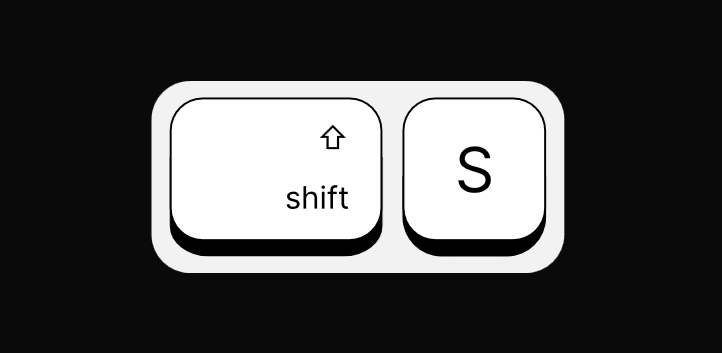
One small but genuinely useful addition was Keyviz, which displays my mouse clicks and keyboard shortcuts on screen. For a follow-along format where people are watching a beamer and trying to replicate what I’m doing, seeing exactly what key I just pressed removes a surprising amount of friction — no more “wait, what did you just press?” interruptions that break the flow of the session.
Session 1: Sky, Selections, and a Plane
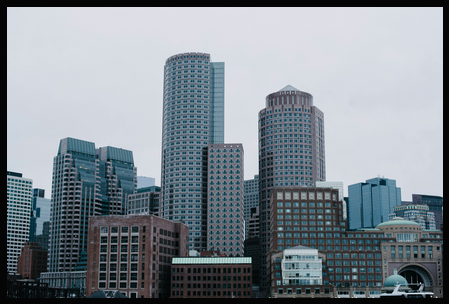
For the actual task, I gave students a dull, overcast skyline and asked them to replace the sky with a vibrant sunset and add a plane into the scene. It’s a small exercise, but it forces you through selection, masking, and matching the light and color of two images that were never meant to sit together. Getting the sky swapped out is mostly mechanical once you understand the selection tools, but making the plane sit convincingly in that new sunset, matching its exposure, its warmth, the direction the light seems to be coming from, is where the exercise stops being a tutorial and starts being an actual creative decision. That last part is where most of the real learning happens; anyone can cut out a sky, but making the replacement believable is a different skill entirely.
I provided the image material myself at the start of the session rather than asking people to source their own, mostly to keep the first session focused and avoid losing time to file hunting before anyone had even opened Photoshop. The session itself covered selections, layers, masking, and simple color grading, and it ran comfortably within the two-hour window — which, going into it, I wasn’t fully confident about.

At the end, I asked for two things: feedback by email, and ideas for what people wanted to see in the third session, along with a heads-up that they could bring their own images if they wanted. In hindsight, the email feedback request didn’t get a single response – a pattern that would repeat for the rest of the course – but the structure of asking at the end of every session was worth keeping regardless. It sets an expectation that their input matters, even if the channel needed fixing later.
Overall, the first session felt like a solid foundation. The task was scoped well enough to fit the time, the concepts built on each other logically, and nobody looked lost by the end. That gave me confidence going into session two, where the technical complexity was about to increase noticeably.
