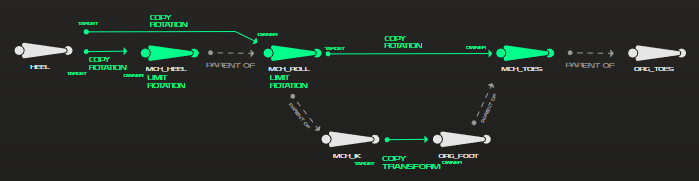
After torso and head rig we continue with the leg rig. The leg rig is a simple IK rig as I have done before for the spiderball. Takes some time but is again a repeat. The foot roll, however, is something new and pretty satisfying. Again, most of it works with mechanical bones with have constraints on them. The goal for the foot roll is to have the toes on the ground while the foot is rotated in one direction but following the foot when rotated in the other direction.
We can counter the rotation between 2 bones with the same roll adding a copy rotation constraint with inverted axis. Since I am not good at explaining and reading about bones and their relations is a lot more complicated then just showing, here is a picture of the build up of the foot roll. I am always thankful for the extensive documentation of the course.
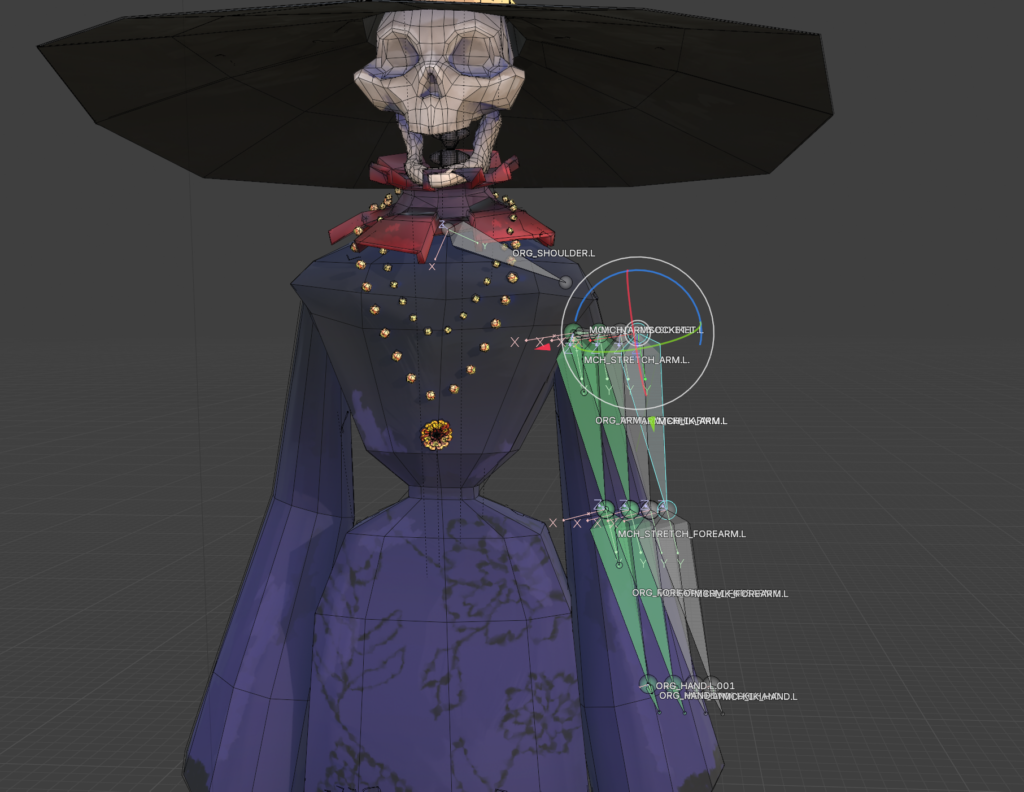
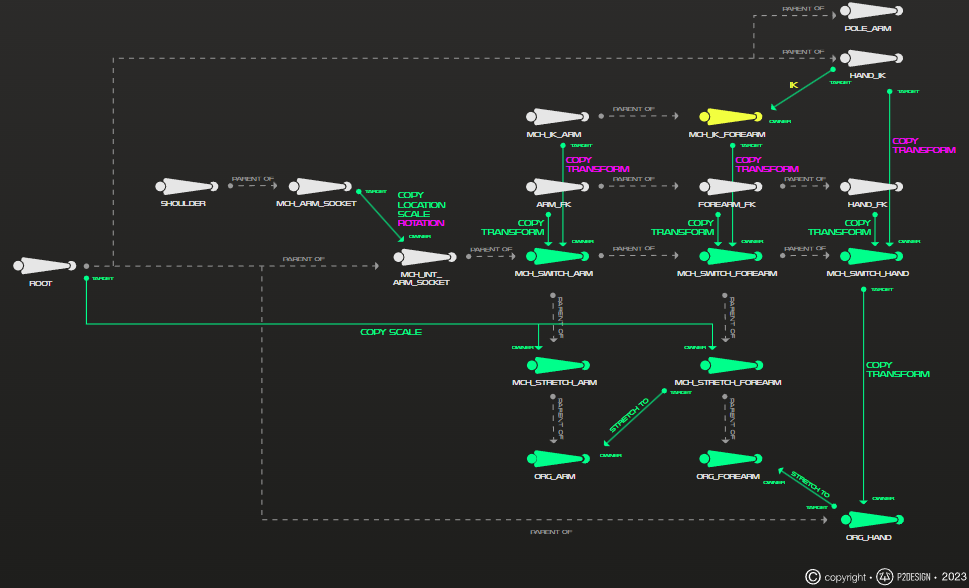
As for the arm rig, this is where things get more time consuming. They got the princess treatment of getting an IK/FK switch. I have done it before, and it is always a bunch of work. At first we copied the arm bones 3 times, giving us 4 sets of arm bones. 1 will be responsible for the stretches, one is the Ik, one the FK and the last one are the original bones with are controlling the deformation bones. Similar as with the head we switch the influence between the bones with custom properties and a driver.
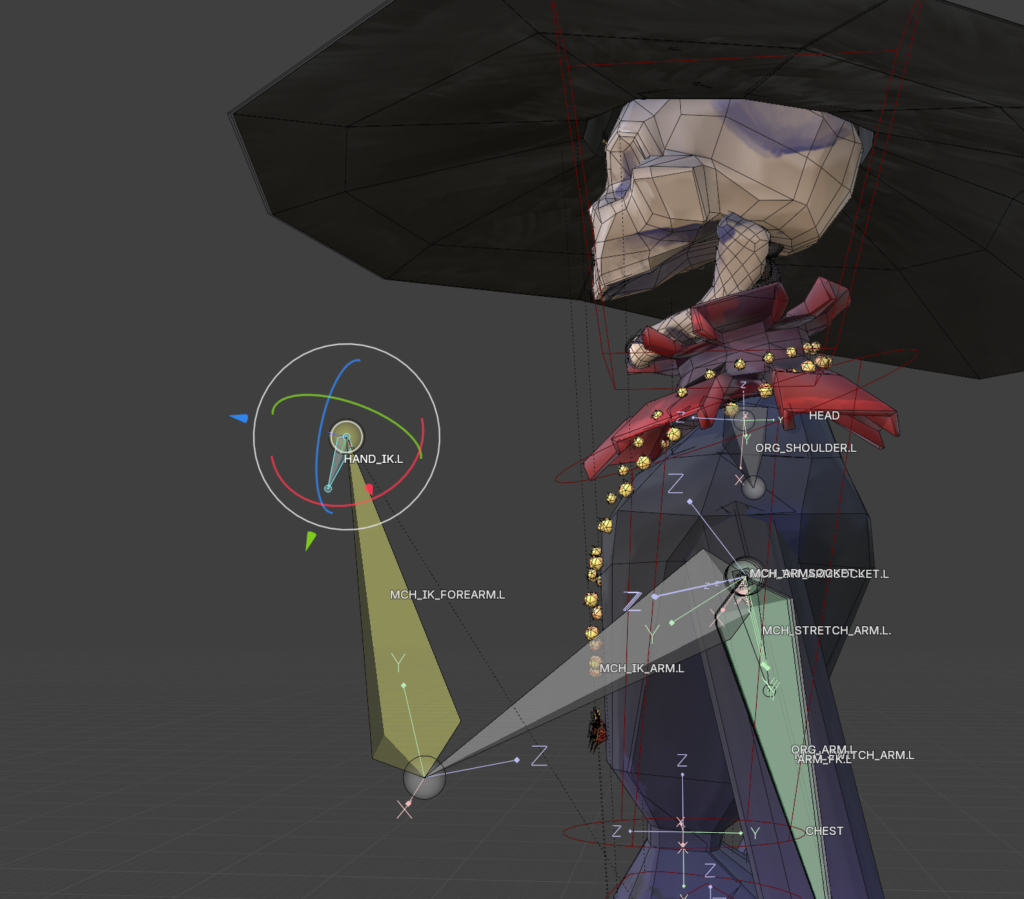
One step I skipped because Lay only wanted a simple rig – I was already overdoing it, I know – was making the arm IK switchable between parents. With this you can for example place the hand on the hip and it will follow the hip. It is definitely something I will come back to at a later point since it seems very useful.
The last thing needed for the rig were the fingers. They are a simple fk rig but with the adjustment that when you bend the second joint the third bend with it as finger usually do.
Special things with Lays character
Most of the tutorial worked fine when being used with a different character. Some things I did not need. For example, the tutorial character had shoulder plates. Yeah, I could skip that step. But I had to rig some accessories and a jaw instead. The jaw was easy. Just an extra bone with the head as parent. The hat works the same way, but the veil is something special. I wanted to try out a short tutorial I had seen so that you would not need to animate it per hand. It works with a bunch of bendy bones and they all have a damped track on them. It gives the veil a flowy feeling. I did the same with the coin chain on her skirt.
While the character worked well enough, I hate it, that it was not symmetrical. It was a pain in the butt when assigning and weight painting the vertex groups.
The character was not on the origin point of the file. I adjusted it for the rigging process, but it might have destroyed or changed the grease pencil. I don’t recall seeing it but it appears that it disappeared somewhere between me and Lay. I don’t know, but Lay seems to be fixing it as we speak. Also just generally navigating in the file of someone else is a bit of a challenge. I did not know what was important and what not and I was so spoiled from my tutorial files.
On a positive note, I liked the tutorial files, sure, but I was so much more motivated by working for someone else other than just me. It sped up the working process and I got through it a lot faster.
