Design & Research II – System, Impact, and Inclusion

Design & Research 2 | For: Katerina Sedlackova

Following my prototypes, I am now looking at how my project fits into the bigger world. I have broken this down into three parts: the system, the change it creates, and who can actually use it.

This diagram illustrates the broader ecosystem surrounding my camera-AI guidance system. I have mapped it from the core outwards to show how the project connects to the world.
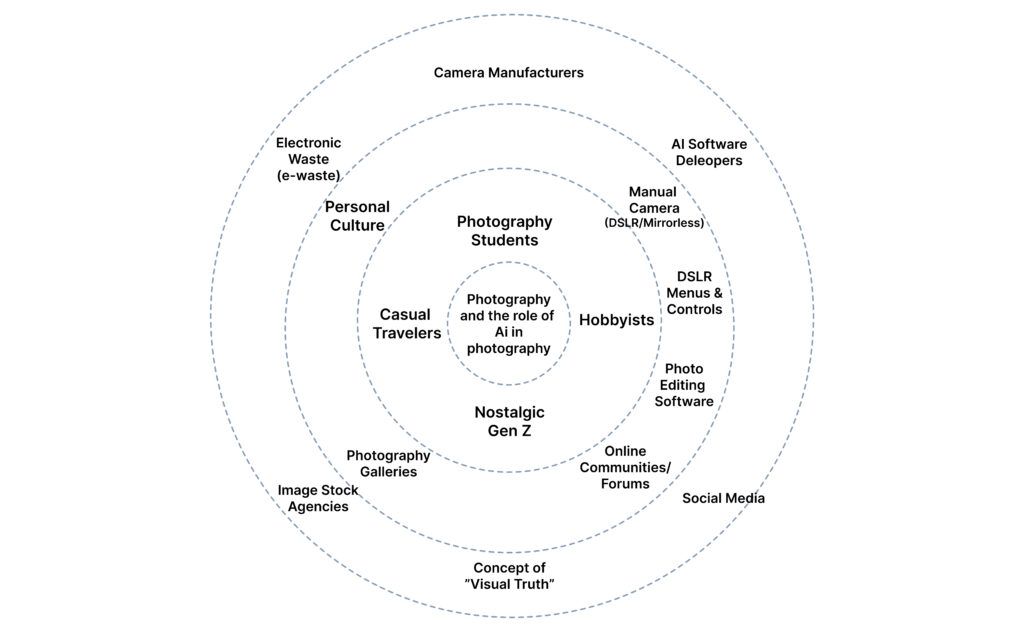
The Core: The interaction between the Photographer and the Manual Camera.
Direct User Context: Students, hobbyists, and “Nostalgic Gen Z” looking for a creative rhythm.
External Ecology: The heavy hitters—Nikon/Sony (Hardware), Adobe/Midjourney (AI), and Instagram (Social). I also included E-waste, as the sustainability of our gear is part of the system.

This comparison highlights the shift from automation-first snapping to learning-aware photography.
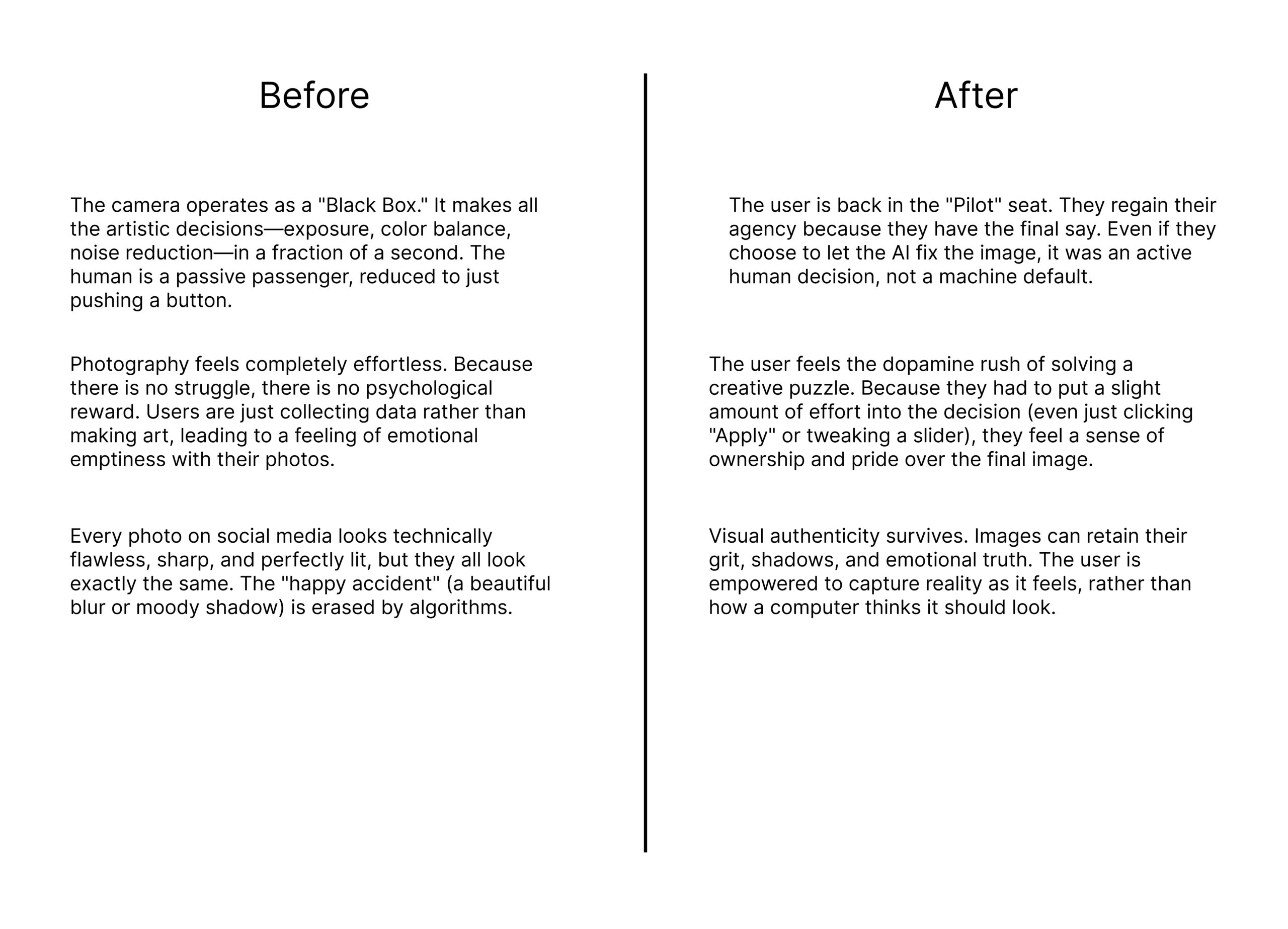
The Goal: The goal is to move the user from being a passive passenger of an automated process to an active “Pilot” who understands their tools.

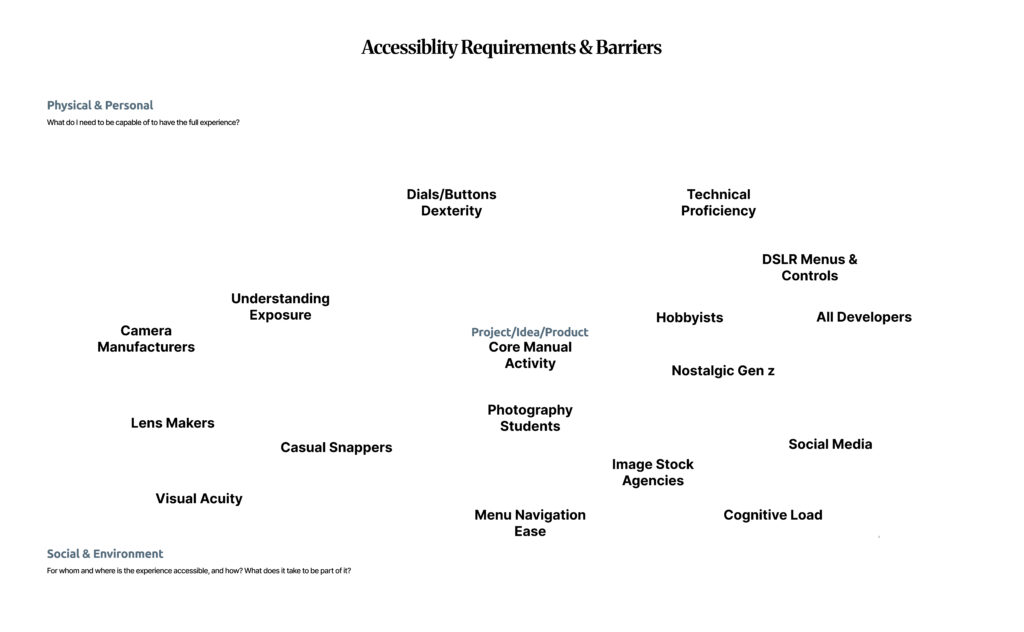
Accessibility in photography is not just about “talent”; it is a systemic issue. Using the floating barrier map, I identified the physical and cognitive hurdles that stop people from mastering manual photography.
Design & Research II – Lo-Fi Prototypes 1/6

Following my research on “Automation in Photography,” I have spent this week diving deeper into my project by creating three different prototype scenarios. Even though I haven’t tested these with real users yet, the act of making them helped me see points I was missing and gave me a better direction for my Master’s thesis.

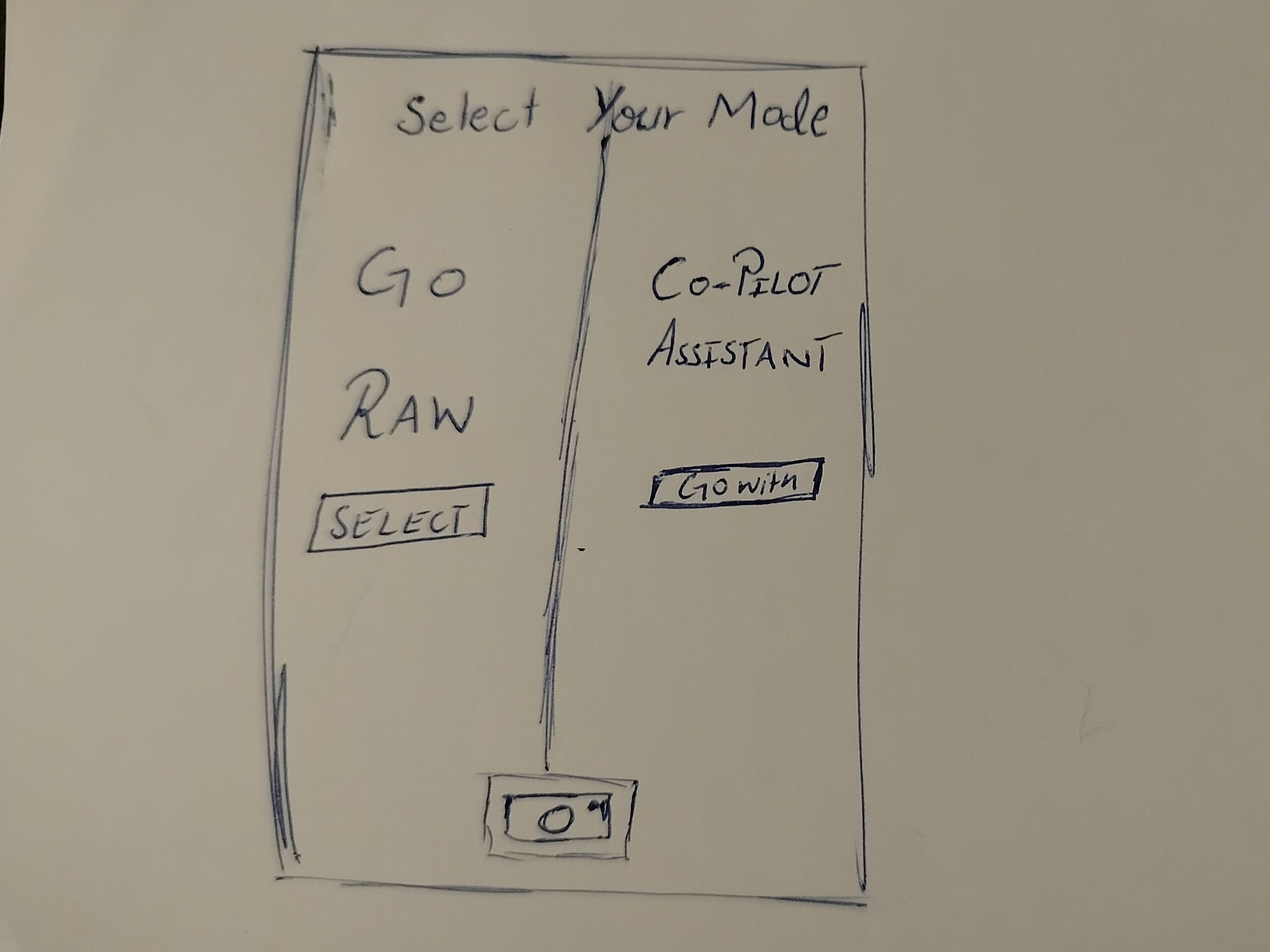
In this one, when the user opens the camera, they have to choose between two options. One is a Raw Mode where the user has all the control, and the other is an AI Automation mode.

The Goal: To see if forcing the user to pick a mode at the start makes them more intentional about how they want to take the photo.

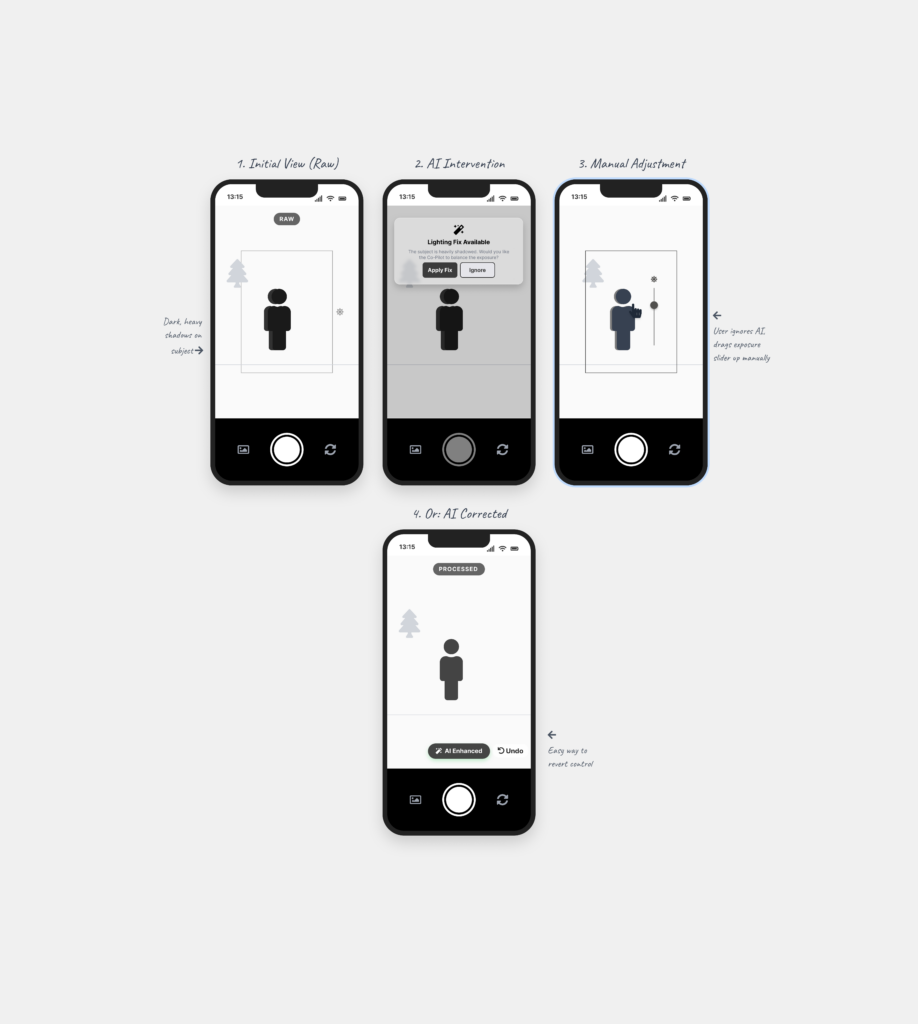
This is a digital assistant that pops up on the screen while you are shooting. It explains what is happening based on the scene. For example, it might say “increase shutter speed because you are shooting action” or “reduce ISO because there is too much light.”

The Goal: To see if giving the user a “why” helps them stay in control instead of the camera just fixing the settings automatically.

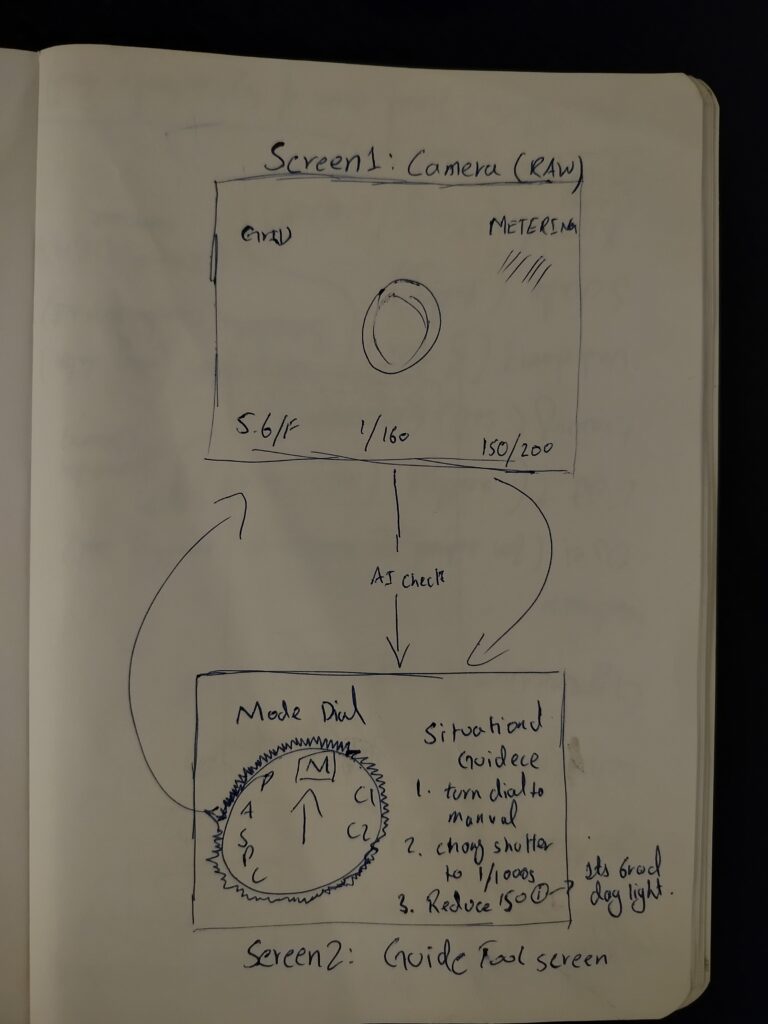
This is for professional cameras. A separate device (like a phone) is attached to the camera to guide the user. It shows suggestions on which physical dials to turn to get the right settings.

The Goal: To see if the AI can act as a teacher that helps the user learn how to use the manual settings on their professional camera.

Creating these scenarios helped me see which directions I might follow, but it also left me with a big question about the design process. I understand that if you have a clear vision, prototyping early can save a lot of time. But when you are still in the early stages of defining and understanding the problem, I found it extremely difficult.

To be honest, it doesn’t make total sense to me to build a solution when I haven’t even fully decided what the actual problem is yet. While I know it is supposed to be beneficial, I personally didn’t find it that helpful at this stage. It felt a bit like guessing. However, the exercise did at least show me which side of the camera-AI idea has the most potential, even if the final direction is still a bit blurry.