Drink Smart and Keep Calm: Technology that Stays in the Background – Part III

From Concept to Prototype: Planning a Calm, Tangible Drinking Reminder

After introducing ubiquitous computing, tangible user interfaces, and calm technology through the example of a smart water glass, the next step is to explore how such a concept could be translated into a physical prototype. Rather than focusing solely on technical feasibility, the planned smart coaster is intended as a design-driven experiment — one that combines physical prototyping with a human-centered design (HCD) process.

The goal is not to build a “perfect” product, but to create a functional artifact that allows the underlying interaction principles to be examined, questioned, and refined.

Framing the Problem in Its Usage Context

The initial motivation for the project stems from a common everyday situation: forgetting to drink water while working or studying. Existing solutions, such as hydration reminder apps, typically rely on push notifications, sounds, or vibrations. While effective in theory, these mechanisms often interrupt users at inopportune moments and shift attention away from the current task toward a screen.

Before committing to a specific technical solution, I would usually start the project by planning a usage context analysis. This would involve observing when and where drinking usually happens, how glasses are positioned in work environments, and how people react to reminders during focused tasks. As the design proposal has already been introduced, I move directly into this idea rather than conducting a full exploratory phase. The underlying assumption is that drinking is already embedded in physical routines and object interactions—making it a promising candidate for a tangible, environment-based interface.

Planned Human-Centered Design Approach

The development of the smart coaster is intended to follow a simplified human-centered design (HCD) process:

  1. Empathize & UnderstandThe process would begin with self-observation and informal conversations to gain insight into why drinking is often forgotten and how existing reminder systems are perceived in everyday situations.
  2. DefineBased on these initial insights, the core design challenge can be formulated as:How might a drinking reminder support hydration without interrupting or demanding attention?
  3. IdeateThe ideation phase would focus on identifying calm forms of feedback. Different modalities—such as light, sound, or subtle movement—would be explored and evaluated in terms of intrusiveness, social acceptability, and perceptibility in the periphery of attention.
  4. PrototypeA low- to mid-fidelity prototype of a smart coaster is planned as a tangible representation of these concepts, allowing interaction principles to be examined in a physical form.
  5. EvaluateShort, qualitative user testing sessions are intended to help validate assumptions and inform iterative refinement of the interaction and feedback design.

Technical Implementation as Design Medium

The planned prototype combines accessible digital fabrication and physical computing tools:

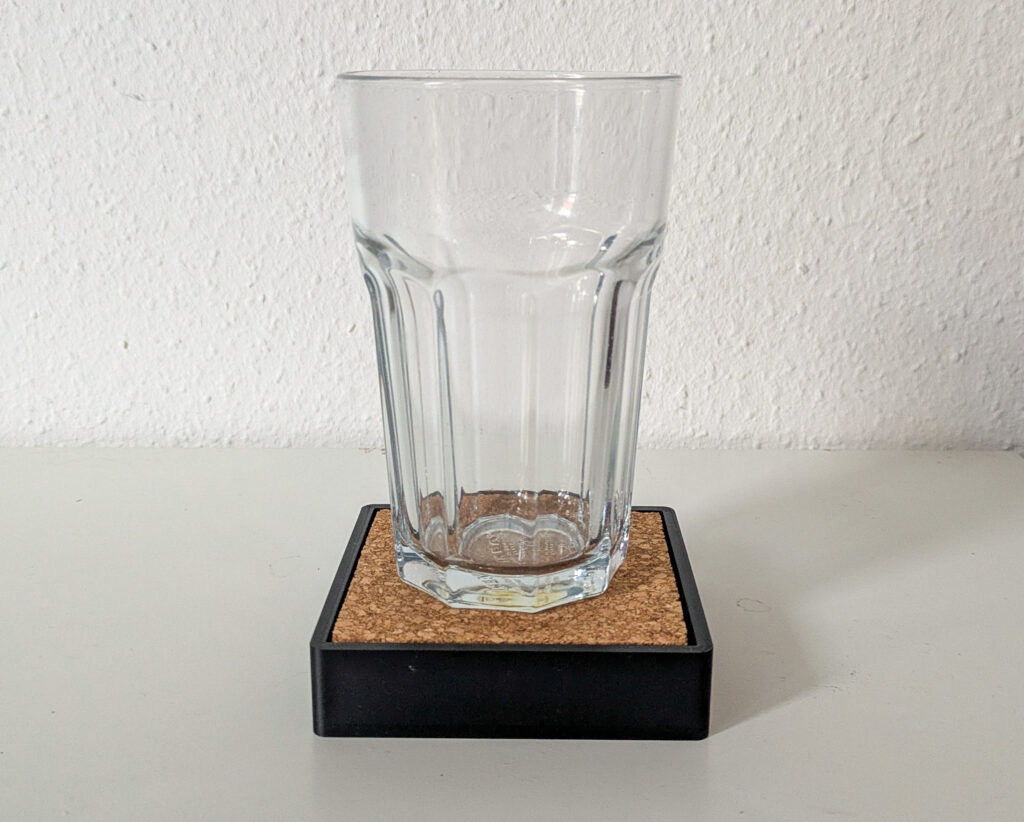
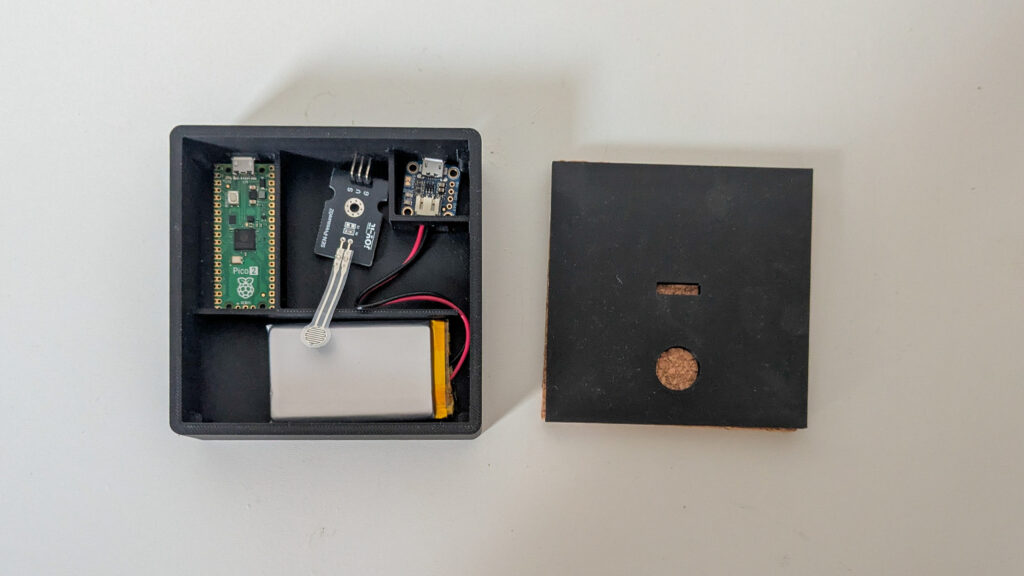
  • 3D-printed coaster, designed to visually blend into everyday environments.
  • pressure sensor to detect the presence or absence of a glass.
  • Raspberry Pi Pico as the microcontroller handling timing and state logic.
  • Subtle ambient feedback, such as low-intensity light, to communicate reminders without explicit alerts.

Importantly, the technical setup is intentionally kept minimal. This aligns with calm technology principles by reducing complexity and ensuring that the coaster remains usable even if the digital components fail.

Planned User Testing and Evaluation

Rather than large-scale usability testing, the project is intended to rely on small, qualitative user tests. Participants would use the coaster in desk-based work scenarios and reflect on their experience afterward.

The evaluation would focus less on performance metrics and more on experiential questions:

  • Was the reminder perceived as intrusive?
  • Did it remain in the periphery until needed?
  • How did it compare emotionally to phone-based reminders?

These observations are expected to inform whether the concept successfully embodies calm interaction.

Conceptual Comparison: Coaster vs. App

As part of the analysis, the smart coaster will be conceptually compared to traditional drinking reminder apps. While apps centralize interaction on a screen, the coaster distributes interaction into the environment. This comparison serves to highlight how tangible interfaces and ubiquitous computing shift responsibility from the user to the surrounding system.

Outlook

By planning the smart coaster as both a technical prototype and a research artifact, the project aims to explore how calm technology principles can be operationalized in everyday objects. The focus remains on how interaction feels, rather than how much functionality is added — reinforcing the idea that sometimes, the most effective technology is the one that stays quietly in the background.

References:
  • Weiser, M., Seely Brown, J. (1995): “Designing Calm Technology“, Xerox PARC
  • Weiser, M., Seely Brown, J. (1996): “The Coming Age of Calm Technology“, Xerox PARC
  • Case, A. (2015): “Calm Technology: Principles and Patterns for Non-Intrusive Design
  • https://calmtech.com
  • Human-Centered Design nach ISO 9241-210:2019

AI Assistance Disclaimer:

AI tools were used to improve grammar and phrasing. The ideas, examples, and content remain entirely the author’s own.
Finding our way without rushing 10/10

Slowness in Navigation: How Maps Shape the Way We Move 9/10

Disadvantages:
➖ As a rule, it supports a functional rhythm focused on daily travel: fast, straightforward, problem-solving.

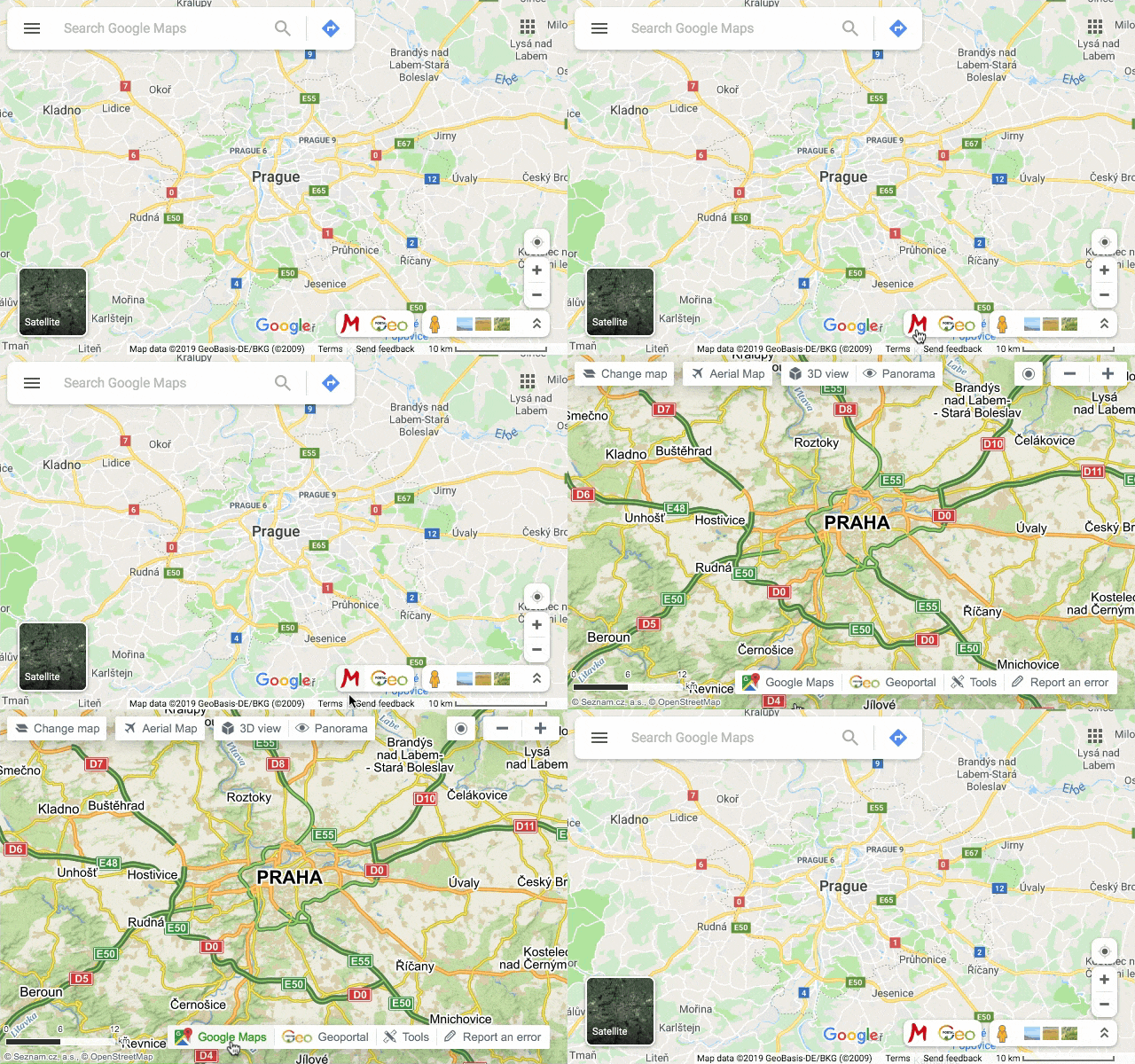
Google maps
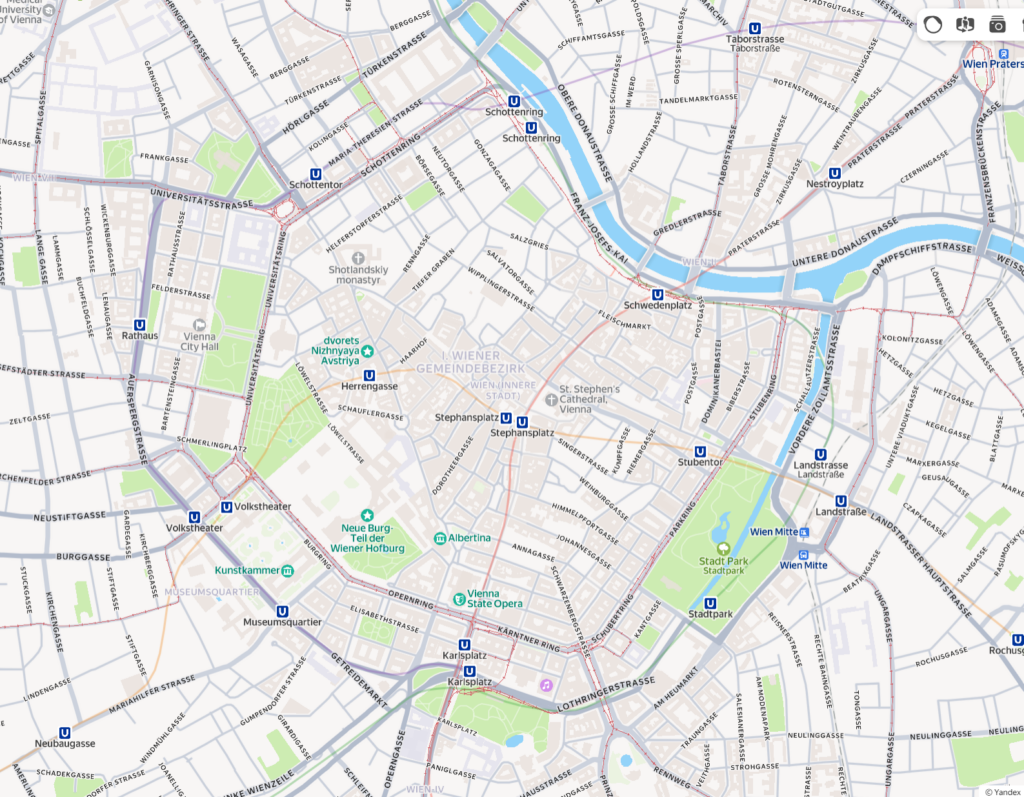
Yandex maps
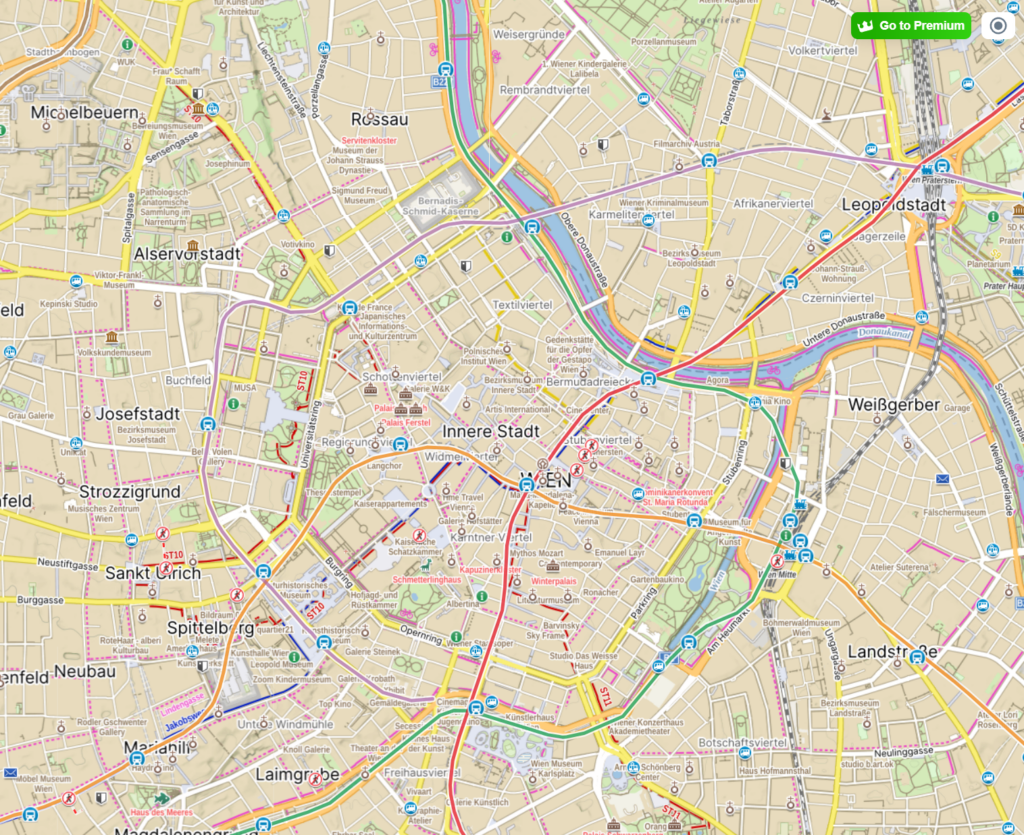
Mapy.cz

The City as a Designed System: Architecture, Space, and Pace 8/10

Calm Tech Institute Awards – Part I

As I started researching product examples that demonstrate how interactions could be designed in a calm and respectful way, I came across the Calm Tech Institute Awards. Through this initiative, the Calm Tech Institute recognizes products, services, and technologies that are designed according to the principles of calm technology. Products are evaluated through a 81-point criteria covering categories such as:

  • attention: Products are evaluated on how they work with (or against) human attention.
  • periphery: How does the product engage other senses through peripheral attention?
  • durability: How does the product break down? Does it offer support to customers in some way?
  • light: Does the product use warm lighting or harsh, blue lights?
  • sound: How does the product sound? For products with moving parts, what actions have been taken to prevent excess noise?
  • materials: What kinds of materials are used?

The award spans a wide range of product and service domains, including:

  • Smart Appliances
  • Transportation
  • Electronics
  • Artificial Intelligence
  • Automotive
  • Health
  • Homes
  • Vacation Rentals
  • Museums
  • Education
  • Websites and Apps

This framework shifts the focus away from novelty and constant engagement, instead emphasizing thoughtful, human-centered design.

In this and the next blog entry, I want to take a closer look at some of the products that have received this award and explore how they translate calm technology principles into real-world design.

“Dreamie” by Hello Ambient

Last year’s highest certified product is a bedside sleep companion called Dreamie. The device is designed to reduce phone usage in the bedroom. A space that should ideally be reserved for rest and recovery. Looking at sleep behavior research from the American Academy of Sleep Medicine (AASM), it quickly becomes clear why this is such a relevant use case for calm technology.

ccording to the AASM, 87% of adults keep a phone in their bedroom, and the majority of them report not getting enough sleep due to phone usage. Other studies show that just one hour of screen time after going to bed increases the likelihood of insomnia symptoms by more than 50%. Screen use at night is also associated with an average loss of 24 minutes of sleep. These numbers highlight a clear opportunity for a device that keeps technology present, but firmly in the background—supportive rather than disruptive.

Based on their research, the AASM recommends several habits to improve sleep quality:

  • Disconnect from devices at night
  • Leave your phone in another room
  • Follow a relaxing nighttime routine
  • Have a sleep schedule
  • Turn off push notifications

Dreamie, developed by Hello Ambient, directly addresses these recommendations and turns them into design requirements. Instead of asking users to rely on willpower alone, the device offers an alternative that fits naturally into existing bedtime routines.

At its core, Dreamie is more than a smart alarm clock—it is a carefully considered design solution. Recognizing how hard it can be to resist media consumption before sleep, the device provides calm, sleep-focused audio content. This creates a gentle alternative to scrolling through a bright, distraction-filled phone screen, helping users wind down rather than stay engaged.

In addition, Dreamie tracks sleep patterns without requiring wearable devices, reducing friction and discomfort. It also features a daylight-based alarm, which is widely considered to be a more natural and less jarring way to wake up compared to traditional sound alarms. Interactions are handled through tactile, physical controls, allowing for eyes-free adjustments in the dark—an intentional design choice that avoids bright screens and supports a calm, sleep-friendly environment.

Taken together, these features strongly align with calm technology principles. Dreamie avoids competing for attention, supports healthy sleep habits, and stays in the background when not needed—showing how research-driven insights and calm interaction design can address a widespread problem.

References:

AI Assistance Disclaimer:

AI tools were used to improve grammar and phrasing. The ideas, examples, and content remain entirely the author’s own.
Embodied Interaction: How the Body Influences Our Perception of Slowness 7/10

Some focus and writing tools deliberately avoid real-time notifications or visual noise, allowing users to remain physically settled for longer periods.

Good example is iA Writer, which minimizes interface elements to reduce physical and cognitive agitation.

Temporal Experience in UX: How Interfaces Shape Our Sense of Time 6/10

Case Study Review: Digital Products That Already Practice Slowness 5/10

How do Ubiquitous Computing and Calm Technology relate to the field of User Experience Design?

In my last blog post, I introduced the idea of calm technology. But what actually makes a technology feel calm? In their 1996 paper, Mark Weiser and John Seely Brown suggest that technology becomes calming when it:

  1. Places information in the periphery, letting us stay aware without being overloaded.
  2. Allows smooth movement from the periphery to the center of attention, giving us control when action or response is needed.

This balance increases awareness while keeping users in control, rather than dominating their attention. Designing for the periphery is therefore a key part of creating calm technology that genuinely supports people.

Weiser and Brown define calm technology through three characteristics:

  1. Smooth transitions between the center of attention and the periphery
  2. Expansion or Enhancement of peripheral perception and awareness
  3. “Locatedness”, which creates calm by fostering a connection to the environment enabling to act confidently within it

Technology feels calm when it works with, rather than against, the way human attention naturally functions. It empowers our periphery by quietly supporting awareness, giving more context and control without demanding attention. This creates a feeling of comfort, familiarity, and “being at home” in our environment. Technology achieves this calmness when it blends seamlessly into its surroundings and aligns with our expectations, allowing attention to flow uninterrupted. Just as grammar mistakes pull us out of a text or a rearranged kitchen disrupts the act of cooking, intrusive or poorly aligned technology breaks our focus. When technology preserves our flow of attention, it naturally feels calm.

How is Calm Technology connected to Ubiquitous Computing?

Both concepts are firstly introduced by Mark Weiser (and John Seely Brown). The early research on Ubiquitous computing inevitably led to the concept of calm technology. So both concepts are closely intertwined. Let me explain why:

Ubiquitous computing enables and requires calm technology at the same time. Once computers are everywhere, it will be crucial to consciously design interactions to ensure they do not overwhelm users. Calm technology is the design philosophy that ensures ubiquitous computing remains unobtrusive and supportive. At the same time, the fact that interactions with digital information can now take place anywhere creates an opportunity to design them in a more supportive way.

This means that ubiquitous computing is the technological vision, and calm technology is the human-centered design principle that guides how that vision should interact with people. They are intertwined because one sets the stage, and the other ensures it’s usable and fits with human needs.

How do Ubiquitous Computing and Calm Technology relate to Today’s field of User Experience Design?

Human Computer Interaction has evolved alongside the evolution of computing, which can be summarized in three stages. In the mainframe stage, computers were rare, expensive, and shared by multiple users. Interaction during this stage was driven primarily by technological possibilities rather than human capabilities. As computers became more accessible, the personal computing stage emerged, establishing one-to-one relationships between individuals and their machines. This shift brought technology closer to people and made user experience a central concern, moving the focus of interaction from the technology itself to the user.

In the following ubiquitous computing stage, people interact with numerous embedded computers throughout their daily lives, making calm technology not just desirable but necessary. The Internet has accelerated this evolution, raising questions about how pervasive technology may impact our environment and everyday experiences. In the state we are currently in, technology constantly competes for our attention. New technology is developed in a high speed and to keep up the pace user-tests are often skipped, resulting in bad user experience and usability (Monse-Maell, 2018). In response, many contemporary design trends have emerged, all based on the same underlying concept: Calm Technology. Within the design field, this idea is commonly framed in terms of attention and presence (Calm UXQuiet UXMindful UX), simplicity and reduction (Minimalist UXEffortless UXInvisible Design), spatial and peripheral interaction (Ambient UXPeripheral Interaction), and human well-being and pace (Well-being UXSlow Technology).

Sure you already heard of some of those terms and are familiar with the ideas behind it. They all come down to the same main idea. They take the philosophy of Calm Technology and translate them into concrete design practices. Calm Technology gives designers a philosophical and ethical grounding. The specification into one of those terms usually provides concrete methodologiespatterns, use cases and heuristics. That’s why it makes sense to engage with these fundamental ideas, as they form the basis for current design trends and shape much of today’s interaction design thinking.

Now that we’ve covered these fundamentals, I want to take a closer look at human–computer interaction and what types of interactions we can use to achieve calmer, more effortless technologies. In the next blog entry, I’ll explore how we intuitively understand how to use objects, how information is perceived in our periphery, and what this means for designing interfaces.

References:

AI Assistance Disclaimer:

AI tools were used to improve grammar and phrasing. The ideas, examples, and content remain entirely the author’s own.
Calm & Slow Interaction: Key Principles for Designing Attention – Aware Interfaces 4/10