Since my last update, I’ve been trying to pay more attention to how older adults actually use their phones. One thing that I found interesting was that many of them were actually very comfortable using WhatsApp. They understood what was happening, could explain different functions and generally navigated the app without too many problems.
While observing these interactions, I started thinking about whether some of the actions older adults struggle with could be simplified. Instead of trying to redesign entire interfaces, what if I could take specific tasks or frequently used functions and break them down into a much simpler interaction?
This led me to explore more tangible interactions, specifically NFC technology. Most smartphones already support NFC and I got some inspiration by some already existing products like the ENA Care, which use physical objects to trigger digital actions. The idea of replacing complex digital interactions with simple physical actions seemed actually interesting.
It actually took me some time to figure out what I wanted to focus on more. To get there, I started experimenting and creating some small prototypes.
My first step was to try out an NFC-based tangible interaction system myself. Luckily, I already had some NFC tags and cards lying around at home.. Before getting started, I did some research and found that there are already many tutorials explaining how to set up NFC routines on smartphones. One resource I found particularly helpful was: https://www.wakdev.com/en/apps/nfc-tools-android.html
Setting everything up was actually much easier than I expected because most smartphones already support reading and writing NFC tags. Using some old NFC cards I had at home, I created my first simple prototype based on existing NFC automation. This initial experiment helped me understand possible ways of interaction for digital tasks for older adults.
Prototyping
The first thing I had to figure out was which tools I could use for working with NFC tags. After some research, I decided to use NFC Tools by Wakdev writing the tags. Additionally, I had to install another app called NFC Tasks, also by Wakdev, to create automated actions.
However, while setting everything up, I already started thinking about older and less experienced users. Even though the process was easy for me, I don’t think many older adults would be able to configure such a system on their own. This made me think that there might be a need for an all-in-one application that simplifies the setup and guides users through it.
After getting the technical side working, I started experimenting with the interaciton. Since the NFC tags I had at home were just small stickers, I wanted to create a more tangible and easier way to interact with them. In my case I thought of basically two ways of using NFC: either bringing the NFC tag to the phone or bringing the phone to the NFC object. To try this, I designed and 3D printed several different variants that I would like to test further.
While prototyping, I ran into a few problems. One thing I noticed was that the distance between the NFC tag and the smartphone can’t be very large, meaning the tag has to be placed almost directly on the surface of the object. The more I thought about it, the more I realized that small physical objects might not be ideal for older adults. They can be difficult to pick up, especially for elderly people and they also need to be stored somewhere. On top of that, they could easily get lost.
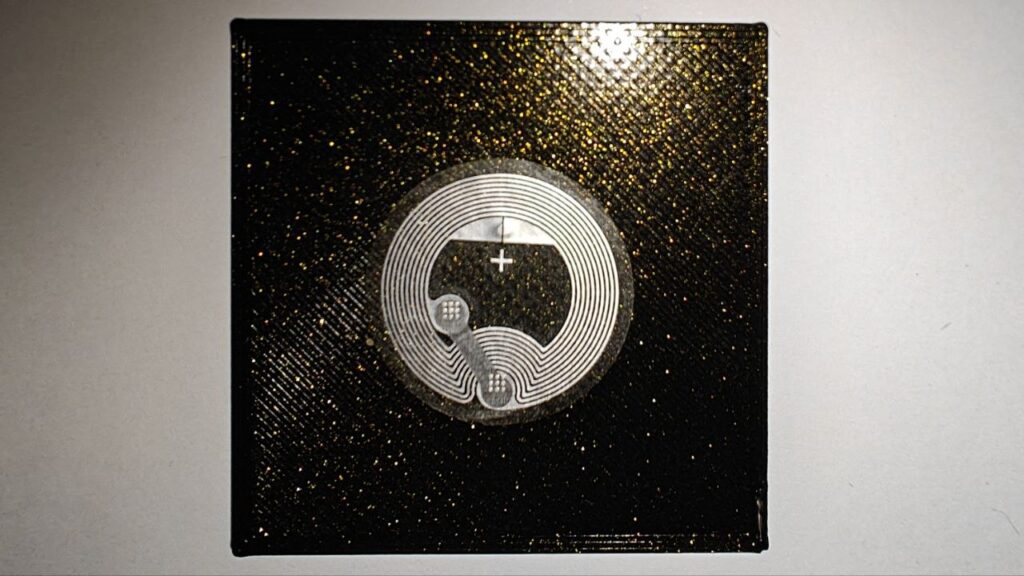
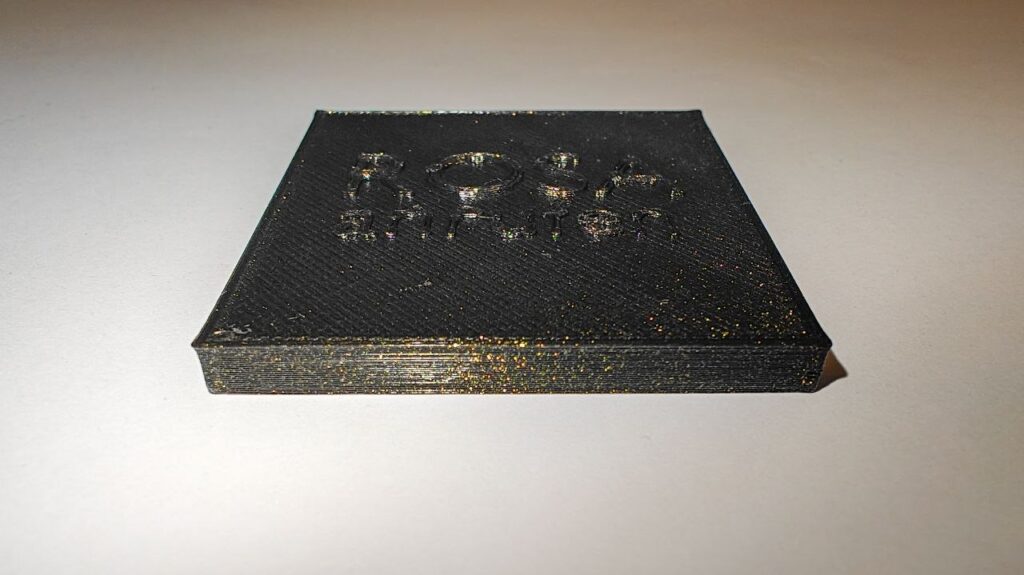
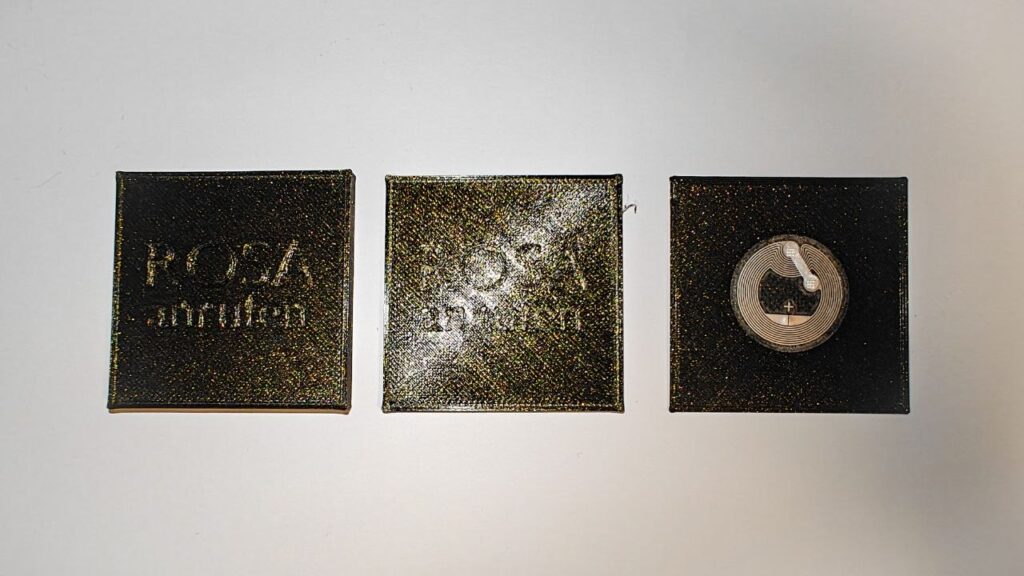
While experimenting with these prototypes, I came up with an idea: creating a physical phone book based on NFC interactions. Instead of navigating through contacts and menus, users could simply hold their phone to a physical card or object and immediately call them. In addition, this phonebook could also contain other tasks.
